Product-led growth video strategy: using product footage across the funnel

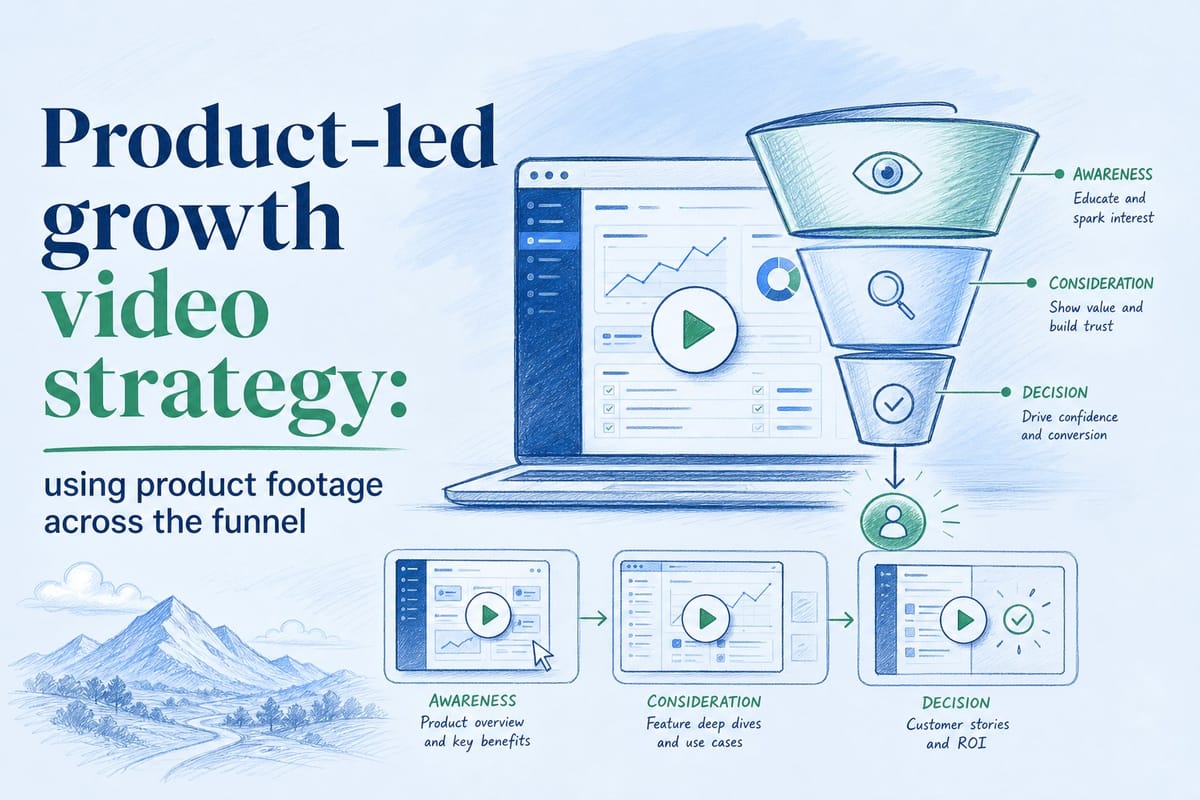
Table of contents
1. Why product footage needs to map to specific funnel stages
2. Building a production system that keeps videos current across sprints
3. Distributing product footage across channels without losing quality or accuracy
A product-led growth video strategy sounds straightforward on paper: show the product, let it speak for itself, and watch signups climb. In practice, most teams get stuck in a loop. They record a walkthrough, ship it to the homepage, and then spend the next six months watching it slowly become inaccurate as the product changes. The UI shifts. A feature gets renamed. A whole workflow gets redesigned. The video stays the same.
That gap between what the video shows and what the product actually does is more damaging than most teams realize. When a prospect watches a hero video and then lands in a trial that looks different, trust erodes immediately. When a new customer follows an onboarding video that references a button that no longer exists, they get confused and they churn faster.
This article is about building a video strategy that solves that problem at every stage of the funnel, from first impression to activation to expansion. We will look at which types of product footage belong at each stage, how to structure your production process so videos stay current without constant re-editing, and how to think about distribution across formats and channels. If you are a founder, PMM, CS lead, or growth marketer at a pre-Series B SaaS company, this is the practical framework you have been looking for.
Why product footage needs to map to specific funnel stages
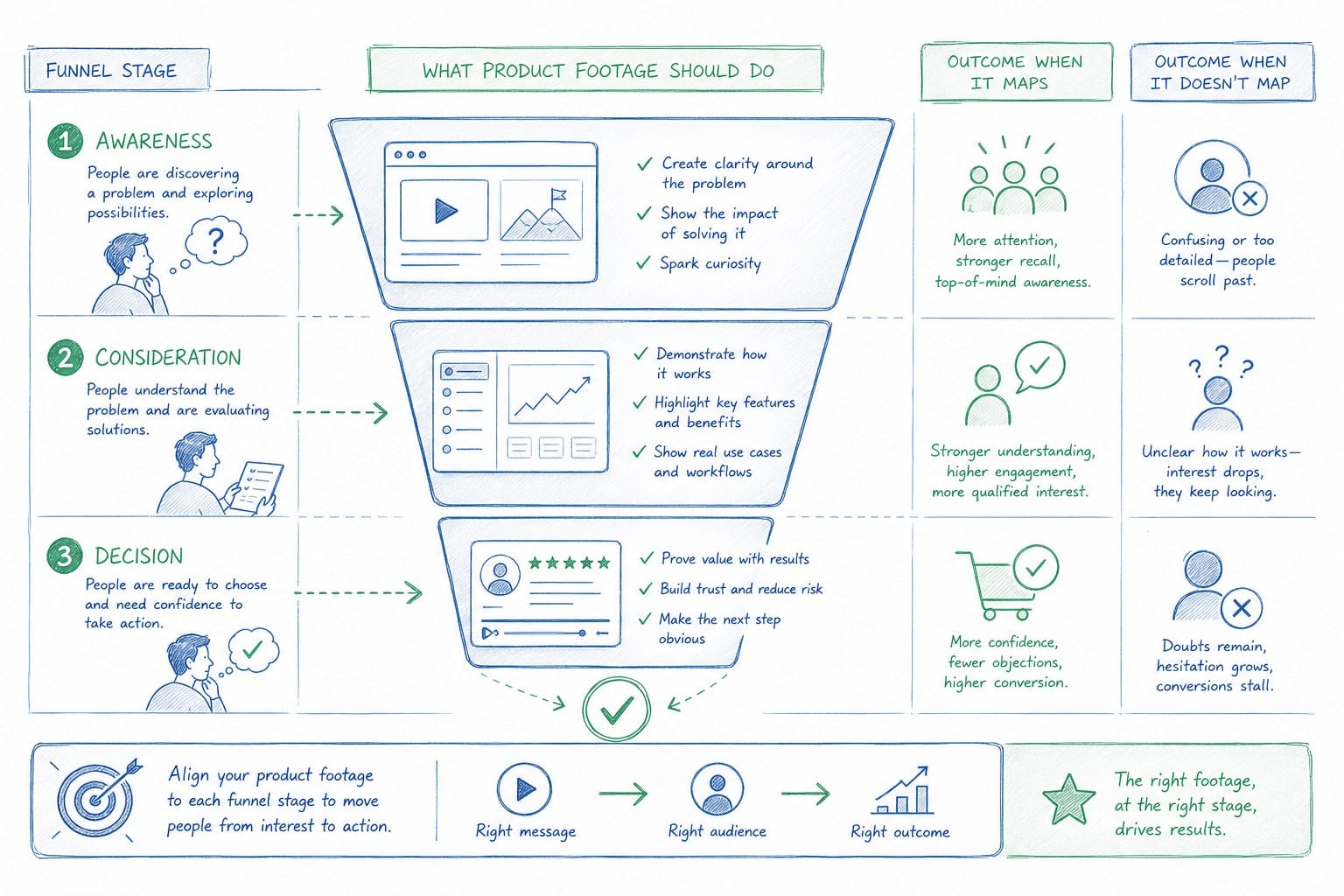
Most SaaS teams treat product video as a single deliverable. They make one demo video, put it on the homepage, share it in sales decks, and send it to new customers. The problem is that a single video cannot do all of those jobs well. A homepage hero video needs to create desire in about sixty to ninety seconds. A sales walkthrough needs to go deep on specific workflows. An onboarding video needs to be precise enough that a new user can follow along step by step. These are completely different goals, and trying to serve all of them with one recording usually means serving none of them particularly well.
A real product-led growth video strategy starts by matching video intent to funnel position. Here is how I think about it across three broad stages.
Top of funnel: create desire and clarity
At the top of the funnel, your prospect does not know your product well. They are evaluating whether it is worth their time to learn more. The video job here is to communicate what the product does, who it is for, and what outcome it delivers, fast. You are not trying to teach anything. You are trying to earn the next click.
This means the footage you use at the top of the funnel should show the most polished, highest-value moments in the product. Think of it like a movie trailer. You pick the moments that generate the most excitement and you sequence them in a way that builds momentum. You do not walk through every screen. You hit the emotional high points.
For a PLG SaaS product, this usually means showing the core value moment: the instant the user sees the thing that made them sign up. If your product is a revenue analytics platform, that moment is probably the dashboard lighting up with insight. If your product is a workflow automation tool, it is the moment the automation runs and the user does not have to do anything. Lead with that.
Narration matters a lot at this stage. The narration is doing interpretive work, helping the viewer understand what they are seeing and why it matters. A strong narration track keeps the video moving and prevents the viewer from having to work too hard to understand what they are looking at. We have written about how AI narration for product videos that sounds like a real film can close the gap between rough screen recordings and a polished, credible first impression.
Middle of funnel: build confidence and reduce friction
By the time a prospect reaches the middle of the funnel, they are doing active evaluation. They are comparing you to alternatives. They are trying to figure out whether your product will actually work for their specific situation. This is where sales walkthrough videos, feature deep dives, and use-case videos belong.
The job of middle-funnel video is not to dazzle. It is to answer questions and eliminate doubt. The prospect is essentially asking: does this product handle my workflow? Can it integrate with our stack? Is the onboarding going to be a nightmare? Your video should answer those questions visually, not just in text on a features page.
For PLG teams especially, the middle of the funnel often overlaps with the trial experience. A prospect who has signed up for a free trial but has not yet activated is a middle-funnel user. They need video that helps them get to value quickly, not a high-level overview they already saw on the homepage.
This is the stage where accuracy becomes critical. If your sales walkthrough video shows a feature or interface that does not match what the user is seeing in their trial, you create confusion and you erode confidence at exactly the moment you need the prospect to trust you. Keeping these videos current after every sprint or release cycle is not optional. It is fundamental to making the PLG motion work.
Bottom of funnel: accelerate activation and reduce churn
At the bottom of the funnel, your user has already converted in some form. They are either a trial user trying to get value, a new paid customer in onboarding, or an existing customer who just got access to a new feature. The video job here is precision. Show them exactly how to do the thing they are trying to do, in the product that exists today.
Onboarding videos and feature announcement videos are the main formats here. They need to be short, specific, and perfectly synchronized with the current UI. A thirty-second video that shows a user exactly how to connect their first integration is more valuable than a five-minute overview that tries to cover everything.
The challenge with bottom-of-funnel video is volume and maintenance. You might need dozens of short videos covering different workflows, and every time the product updates, some subset of those videos becomes wrong. Without a system for keeping them current, CS teams end up either pulling videos that have become inaccurate or leaving inaccurate videos live and hoping users do not notice. Neither is good.
Building a production system that keeps videos current across sprints
The most common failure mode in SaaS video production is the one-time project approach. A team decides they need product videos, they hire a contractor or a video agency, they spend three to six weeks producing a set of videos, and then they ship them. Six months later, half the videos are out of date and the team does not have the budget or bandwidth to redo them. So the videos stay live and gradually become a liability.
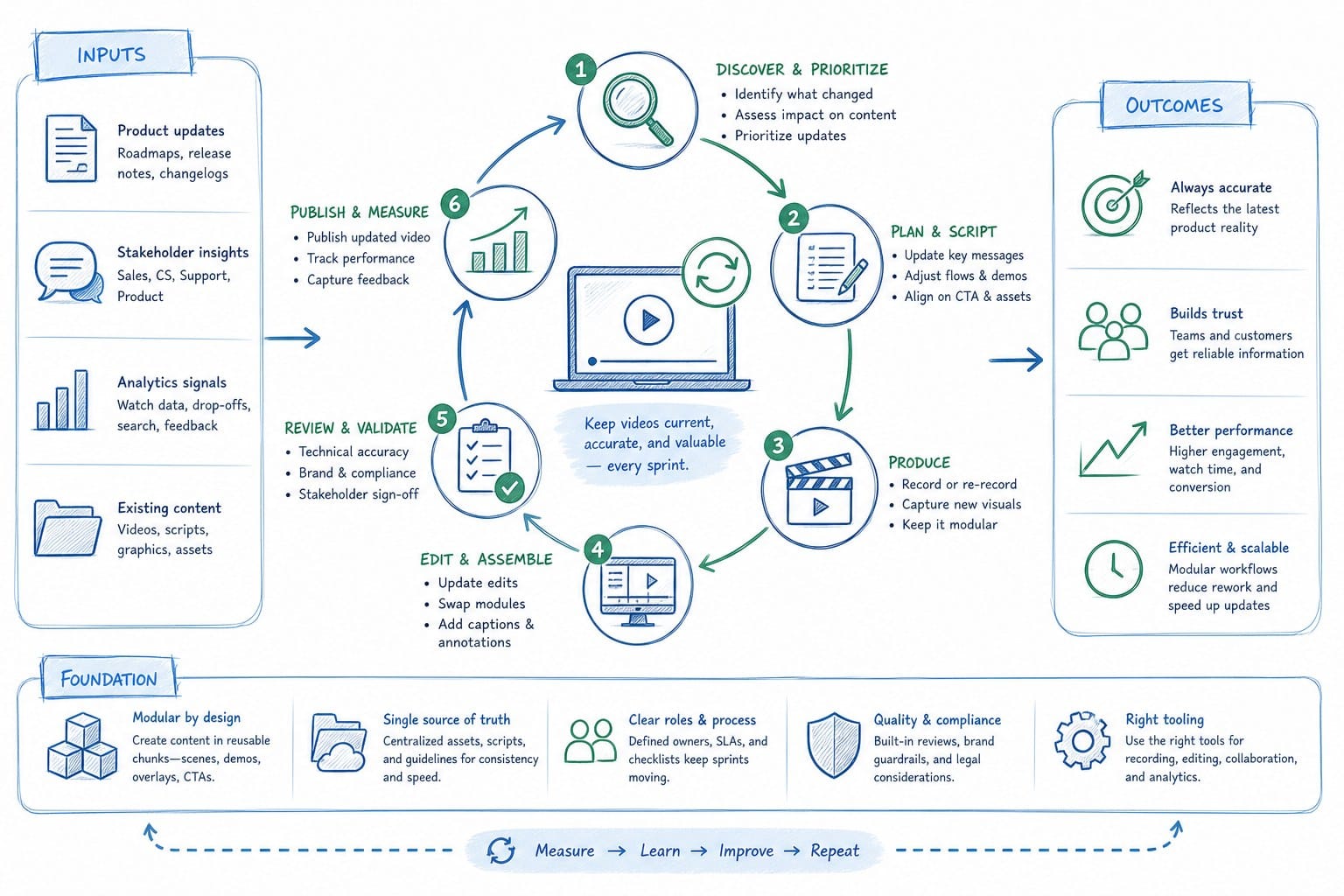
A product-led growth video strategy that actually supports GTM needs to be a repeatable system, not a one-time project. Here is how to build one.
Start with a URL or existing footage, not a blank timeline
One of the biggest time sinks in traditional video production is the setup work before any editing starts: planning shots, recording takes, syncing audio, managing files. For a PMM or founder who is also running ten other projects, that setup cost alone is enough to make video feel impossible at scale.
The more efficient approach is to start from the product itself. If you can point a tool at your product URL or feed in existing screen recordings and get a structured, narrated video composition back, you eliminate a significant chunk of the production overhead. That first output is not the final video. It is a starting point you can edit, reshape, and improve. But starting from something is dramatically faster than starting from nothing.
We have covered the mechanics of this approach in detail in our guide on how to create a product video from a URL without screen recording. The short version is that AI-assisted generation can turn your product's existing visual language into a composed, narrated video draft that you then refine rather than build from scratch.
Build regenerability into your workflow from day one
The key word in a sustainable video strategy is regenerable. When you first build a video, you should be thinking about how you will update it when the product changes, not just how you will finish it this time.
In practice, this means keeping your source materials organized: the original product footage or URL inputs, the narration script as a text file, any brand assets used in the composition. When the product updates, you go back to those source materials, update the footage or the URL reference, and regenerate the video with the new product visuals, keeping everything else intact.
This is fundamentally different from the traditional approach, where the video is a static export and any change requires reopening the project, hunting for the right segment, re-recording or replacing footage, re-syncing audio, and re-exporting. With a regenerable system, a product update triggers a video refresh rather than a video rebuild.
For teams shipping on a sprint cadence, this matters a lot. If your design or engineering team ships a UI change every two weeks, you cannot afford a two-week video rebuild cycle every time. You need a refresh cycle that takes hours, not weeks.
Assign video ownership within the sprint process
The other reason product videos go stale is that nobody owns the task of keeping them current. Engineering owns the product changelog. Design owns the component library. Nobody owns the videos.
Fix this by building video updates into your sprint review process the same way you build in documentation updates. When a feature ships, the PMM or CS lead responsible for that feature area does a quick check: does any existing video show the part of the product that just changed? If yes, it goes into the next refresh cycle. If no, no action needed.
This does not have to be a lengthy review. If your videos are regenerable and your source materials are organized, the actual refresh work is fast. The bottleneck is usually awareness, not effort. Build a simple checklist into your sprint retrospective and that bottleneck largely disappears.
Use a credit-based or unit-based system to track production output
One practical challenge with video production at scale is resource allocation. If video is treated as an open-ended project, it tends to expand until it consumes all available time. A more disciplined approach is to treat video output as a finite resource you are allocating deliberately.
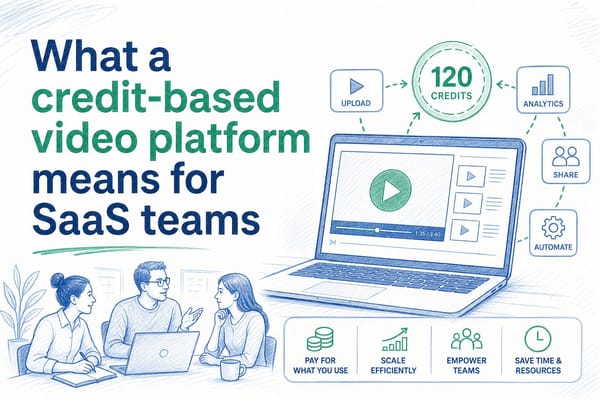
For example, a system where one credit equals one second of finished video output gives you a clear way to plan and prioritize. A thirty-second top-of-funnel hero video costs thirty credits. A ninety-second sales walkthrough costs ninety. If you have a budget of five hundred credits per sprint cycle, you can make deliberate decisions about what to produce versus what to defer. This kind of unit economics thinking also makes it easier to justify video investment to finance or leadership, because you can show cost per second of output rather than a vague agency retainer.
Think about formats at the production stage, not the distribution stage
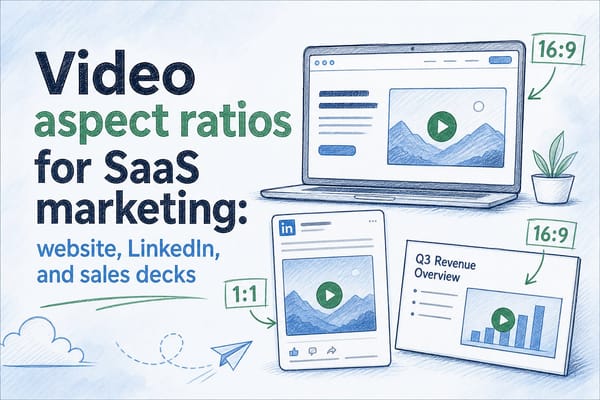
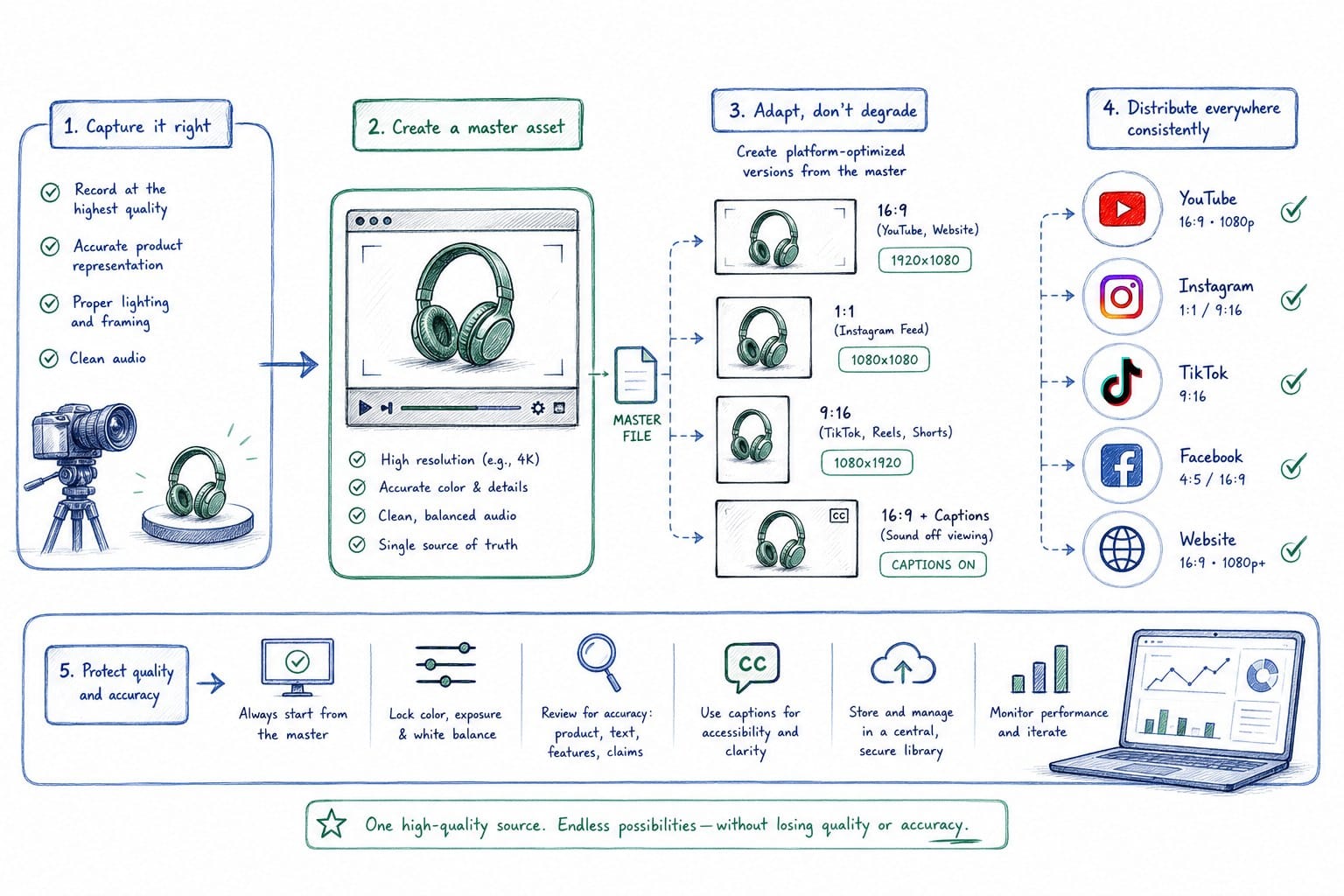
Most teams produce a video in one format and then scramble to adapt it for other channels later. They make a sixteen-by-nine landscape video and then realize they need a square version for LinkedIn and a vertical version for mobile and they have to go back and re-edit everything.
The smarter approach is to think about format requirements before you start production, not after. If you know a video is going on your homepage, LinkedIn, and in a sales deck, plan for all three aspect ratios from the beginning. Capture or generate source footage with enough visual headroom that it can be cropped to square or vertical without losing key UI elements.
We have written specifically about how to approach this in how to repurpose a product video across formats without re-editing. The core principle is that multi-format distribution is a planning decision, not a post-production scramble.
Distributing product footage across channels without losing quality or accuracy
Having a library of accurate, well-produced product videos is only half the job. The other half is getting those videos in front of the right people at the right stage of the funnel, in the right format for each channel. This is where a lot of teams leave significant value on the table.
Homepage hero video: your highest-leverage placement
For a PLG SaaS product, the homepage hero video is almost certainly your highest-leverage video placement. It is the first moving image a prospect sees, and it sets the tone for everything that follows. If it is polished, clear, and shows a compelling value moment, it earns the visitor's attention. If it is rough, slow, or shows a product that no longer looks like the current version, it creates doubt before you have said anything.
The homepage hero should be treated as a living asset, not a one-time production. It should be refreshed whenever a significant UI change ships, whenever you reposition your messaging, or whenever you roll out a major new feature. Many teams refresh their hero video two to four times a year. With a traditional production process, that is two to four full video projects. With a regenerable system, it is two to four refresh cycles that each take a fraction of the time.
For format, homepage heroes typically work best as autoplay, muted, looping videos in landscape orientation. Keep them short, sixty to ninety seconds is usually the ceiling before viewer attention drops. If you have a longer walkthrough, link to it rather than embedding it in the hero.
LinkedIn and social distribution: short clips and moment-specific content
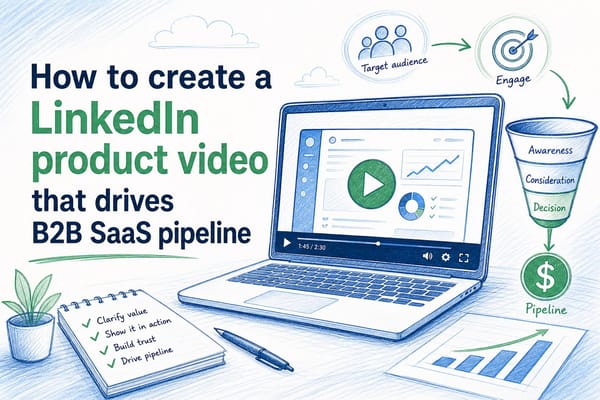
LinkedIn is increasingly important for B2B SaaS distribution, and video consistently outperforms static images for reach and engagement on the platform. But the type of video that works on LinkedIn is different from a homepage hero.
Short clips work best: fifteen to forty-five seconds, focused on a single moment or insight. Think of it as a highlight reel approach. You pull the most interesting moment from a longer product video and post it as a standalone clip with a caption that gives it context.
For PLG specifically, these clips are a great way to show the product doing something impressive in a short window of attention. A clip that shows a complex workflow getting automated in twenty seconds is genuinely useful content for the audience you are trying to reach. It is not just an ad. It is evidence.
Square format performs well on LinkedIn because it takes up more screen real estate in the feed than landscape. If you planned for multi-format output at the production stage, you already have a square version ready. If not, you are re-editing, which is why format planning matters.
For other social channels where your audience lives, vertical format matters more. Founders and PMMs at early-stage SaaS companies are often active on platforms where vertical video is the native format. If your distribution strategy includes those channels, plan for it.
Sales decks and async video: accuracy over production value
When a sales rep shares a video with a prospect during an active deal, that video is doing a very specific job. It is either supporting a discovery conversation, demonstrating a specific feature the prospect asked about, or moving the deal forward between calls. In that context, accuracy matters more than production polish.
A beautifully produced video that shows the wrong version of a feature is worse than a slightly rougher video that is completely accurate. Prospects who are in active evaluation mode notice discrepancies. They are looking for reasons to trust you or not trust you, and an out-of-date demo video gives them a reason not to.
This is why keeping sales walkthrough videos current across sprint cycles is not a nice-to-have. It is a revenue protection activity. Every inaccurate demo video in circulation is a small trust tax on your sales team.
For async video delivery, keeping videos short and focused helps with completion rates. A five-minute general walkthrough sent to a prospect before a call often goes unwatched. A ninety-second video that specifically addresses the use case that came up in discovery is much more likely to get watched all the way through.
Customer success and onboarding: precision and currency above everything
For CS and onboarding video distribution, the quality bar is precision, not polish. A new customer who is trying to complete a specific task in your product and turns to a help video for guidance needs that video to show exactly what the current product looks like. If the modal looks different, if the button has moved, if the workflow has changed, the video creates confusion rather than clearing it.
CS teams often distribute video through a few main channels: in-product tooltips or walkthroughs, a help center or knowledge base, and one-to-many customer communications like release notes or feature announcement emails. Each of these has slightly different format and length requirements, but all of them share the same accuracy requirement.
The practical implication is that CS teams need a fast path to updating videos when the product changes. If updating a help center video requires submitting a ticket to marketing or going through a full production cycle, it will not happen fast enough. The update will lag behind the release by weeks, which means customers who onboard in that window get incorrect guidance.
Building a regenerable video system that CS teams can operate without deep video production skills is the solution to this. If a CS lead can refresh an onboarding video themselves in a few hours using the same process they used to create the original, the accuracy problem becomes manageable rather than chronic.
Tracking what is working across the funnel
A product-led growth video strategy should be measurable. For each placement, identify the signal that tells you the video is doing its job. On the homepage, that might be time on page after video play, or conversion rate from visitor to signup on pages with versus without video. For sales walkthroughs, it might be deal velocity or proposal-to-close rate for deals where video was shared versus not shared. For onboarding videos, it might be time-to-first-value or activation rate within the first week.
You do not need to track all of these simultaneously, especially at an early stage. Pick the one or two signals that matter most to your current GTM priority and track those. If your current focus is top-of-funnel conversion, start with homepage video performance. If your focus is reducing churn in the first thirty days, start with onboarding video completion and activation rate.
The important thing is to treat video as a testable asset, not a static production. Change the narration, swap in updated footage, test a different hook, measure what happens. A regenerable video system makes this kind of iteration much faster than a traditional production process, which means you can run more experiments and learn faster.
One practical starting point for teams with limited bandwidth
If you are a founder or PMM reading this and feeling like a comprehensive multi-format, full-funnel video strategy is out of reach given your current team size and bandwidth, here is a simpler starting point.
Pick one stage of the funnel where inaccurate or missing video is currently costing you the most. For most pre-Series B PLG teams, that is either the homepage hero or the onboarding experience. Pick one, make one accurate, well-narrated video for that placement, and build the process to keep it current. That single video, kept accurate across product updates, will deliver more value than five videos that quickly go stale.
Once you have that one video and the refresh process working, expand to the next stage. Build the library incrementally, with each addition following the same regenerable process. Over six to twelve months, you end up with a complete funnel video library that stays current, rather than a one-time batch of videos that decay.
The goal is not to produce more video. The goal is to have the right video, accurate and current, at each stage where a prospect or customer needs it. That is what a product-led growth video strategy actually means in practice.
Ready to take the next step?
If you are ready to stop rebuilding product videos from scratch every time your UI changes, Product Frames was built for exactly that workflow. You can turn a product URL or existing footage into a narrated, editable video composition, and refresh it after every release without starting over. Visit productframes.com to see how it works.