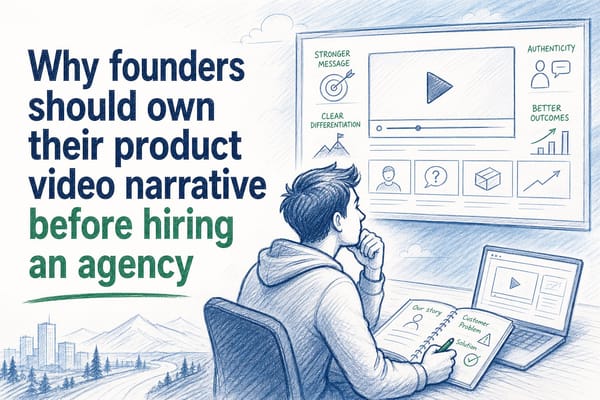
AI narration for product videos that sounds like a real film

Table of contents
1. What makes AI narration sound like a real film voice-over
2. Why B2B SaaS teams specifically need narration that can be regenerated
3. How to write a product video script that AI narration can deliver well
Most product videos fail before the viewer reaches the ten-second mark. The footage might be clean, the UI might be polished, but the narration sounds like a text-to-speech robot reading a terms-of-service document. That gap between the visual quality and the audio quality tells prospects something you do not want them to think: that your team cut corners. AI narration for product videos has changed enough in the last two years that this tradeoff is no longer necessary. When it is done well, AI narration in a product video can match the pacing, warmth, and authority of a professional voice-over artist, without the booking fees, the revision cycles, or the problem of having to re-record every time your UI ships a change. This article explains how that works, what makes the difference between narration that sounds like a real film and narration that sounds like a screen reader, and how B2B SaaS teams can use AI narration inside a product video workflow that stays current after every sprint.
What makes AI narration sound like a real film voice-over
The word 'AI voice' used to mean one thing: a flat, slightly robotic reading of whatever text you fed it. Syllables were correct. Emotion was absent. Listeners could identify the synthetic origin within three words.
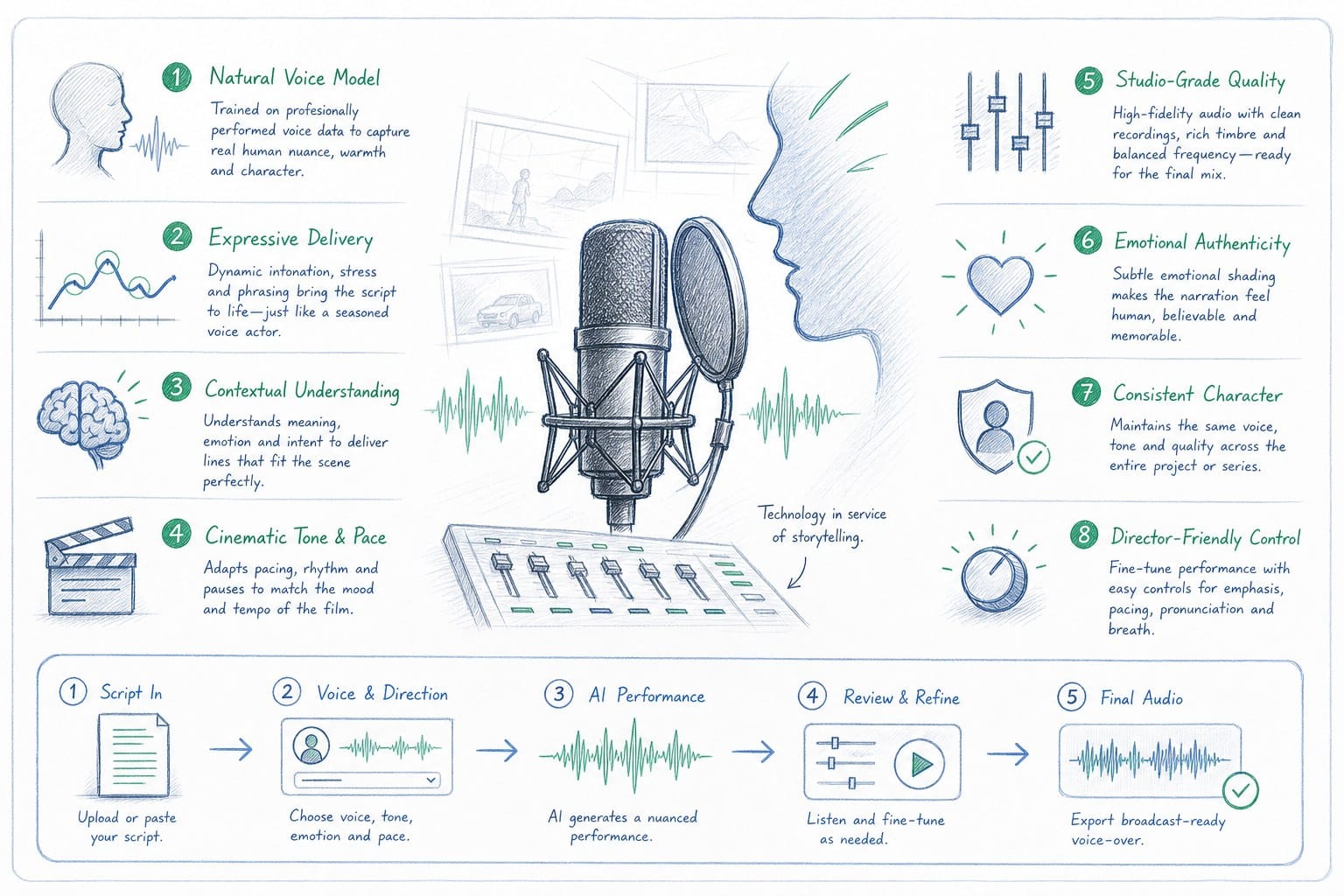
That description no longer covers what modern AI narration systems actually produce. The gap closed because of two compounding improvements: better prosody modeling and better context awareness. Prosody is the music of speech, the rises and falls in pitch, the pauses before a key word, the slight acceleration through a list and the slow-down at a conclusion. Early text-to-speech systems applied prosody rules uniformly. Current systems infer prosody from the meaning of the sentence, the position of the sentence in a paragraph, and the overall register of the script.
Context awareness matters just as much. A voice that reads 'and then you click save' with the same energy as 'this is the moment everything clicks into place' sounds mechanical because it is ignoring what the words mean. Newer models do not ignore that. They treat the script as a document with a narrative arc, not a list of sentences to be read in order.
For B2B SaaS product videos specifically, this matters for a concrete reason. Your viewer is usually evaluating your product while doing three other things. Their attention is partial. A narration track that sounds like a real person speaking with intention pulls them back into the video. A narration track that sounds like a screen reader gives them permission to close the tab.
There are three qualities that separate film-quality AI narration from serviceable AI narration.
First, breath and pace variation. Real voice-over artists breathe. They pause. They do not speak at a constant words-per-minute rate. Film-quality AI narration introduces subtle variation in pace that mirrors natural speech. A product reveal moment slows down. A transition between features moves faster. This variation is not random; it follows the structure of the script.
Second, tonal match to the product category. A cybersecurity platform needs a different register than a project management tool aimed at creative agencies. The narration voice, its warmth, its authority, its urgency, should reflect the product's position in the market. The best AI narration systems let you steer this through voice selection and script tone, rather than applying a one-size-fits-all voice to every product in every category.
Third, sync with the visual edit. In a professional film, the narration and the picture are cut together. The voice lands on a key phrase exactly when the relevant UI element appears on screen. Narration that is out of sync with the visuals forces the viewer to work harder to follow what is happening. When the sync is tight, the video feels effortless to watch. This is the quality difference between a product video that feels like a film and one that feels like a screencast with a voice layered on top.
For pre-Series B SaaS teams, the practical implication is this: you do not need a recording studio or a professional voice actor to achieve film-quality narration. You need a platform that handles prosody, tonal matching, and visual sync in the same workflow. That is what separates a dedicated AI narration product video tool from a general-purpose text-to-speech API bolted onto a video editor.
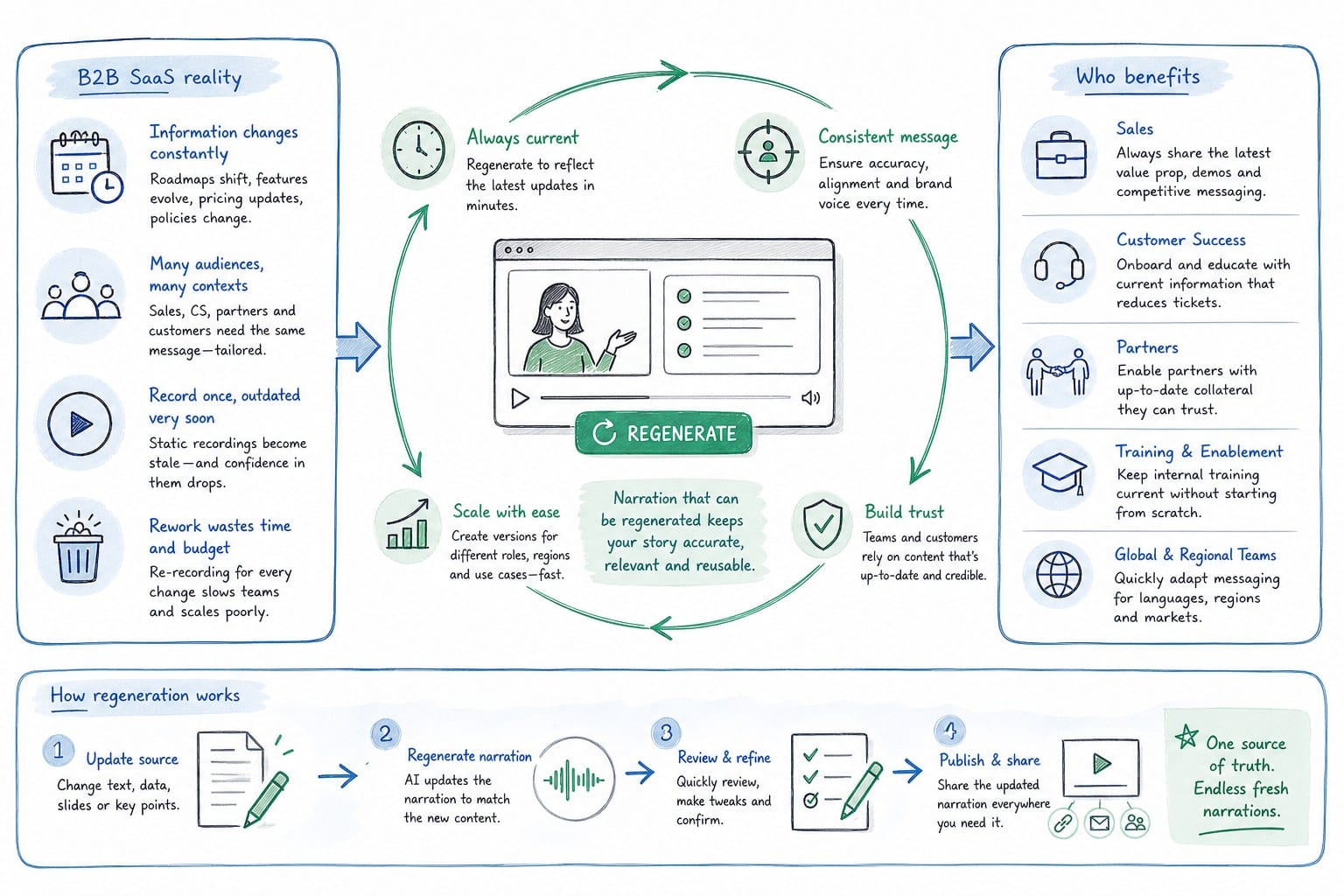
Why B2B SaaS teams specifically need narration that can be regenerated
Here is a problem that almost every product marketing manager at a SaaS company knows well. You spend two weeks producing a product walkthrough video. You hire a voice actor, or you spend hours finding the right AI voice, recording the script, syncing the audio to the screen recordings, and exporting the final file. The video goes live on the homepage and into the sales deck.
Six weeks later, your product team ships a UI update. The sidebar moves. The onboarding flow changes. The primary call-to-action button gets a new label. Suddenly your video is showing prospects an interface they will never actually see when they sign up. The narration refers to a button that no longer exists.
This is not a hypothetical. It is the default experience for SaaS companies that ship on a sprint cadence. The faster the product moves, the faster the video becomes a liability.
Traditional video production has no good answer to this problem. You can re-record the voice-over, but then you need to re-edit the sync. You can update the screen recordings, but then the narration no longer matches. You can hire an editor to stitch the updates together, but every update costs time and money, and the result is a video that has been patched rather than rebuilt.
This is why the narration layer in a product video cannot be treated as a one-time production asset. It needs to be part of a regenerable system. When the product changes, the narration should update alongside the visuals without requiring a full re-production cycle.
For founders putting together a homepage hero video, this matters because the homepage is the first impression for every inbound lead. A video showing an outdated UI signals that the product and the marketing are out of sync, which is not the message you want to send to someone who is evaluating you against three competitors.
For product marketing managers managing a library of sales walkthrough videos, the regeneration problem is even more acute. Each video in the library represents a use case, a persona, or a feature set. When the product updates, every video in the library is potentially stale. Without a regenerable system, the PMM team has to triage: which videos are most visible, which ones can we afford to update this sprint, which ones do we leave stale and hope no one notices.
For customer success and enablement teams, stale narration in an onboarding video creates a specific kind of friction. A new user watches the onboarding video, follows the narrated instructions, and then cannot find the button the narrator just described because it has moved or been renamed. That friction generates support tickets. It damages the new user's confidence in the product before they have had a chance to experience its value.
For sales teams using demo videos in proposals and decks, the problem shows up at the worst possible moment: during a deal cycle. A prospect watches a demo video attached to a proposal and spots that the UI in the video does not match the UI they saw during the live demo. Now they are asking questions about which version is current, and the sales rep is managing a trust problem instead of closing.
You can read more about keeping demo clips accurate during proposal cycles in SaaS sales deck demo video: keep demo clips accurate between proposals.
The solution to all of these problems is the same: treat the product video, including its narration, as a living asset rather than a finished artifact. That requires an AI narration product video workflow where the script, the voice, and the visual sync can all be updated and regenerated together, not as separate manual steps.
Product Frames is built around this idea. A credit in the system equals one second of finished video output. When you regenerate a video after a product update, you are producing a new finished video, with updated visuals and updated narration that is re-synced to those visuals, not patching an old one. The cost of staying current is proportional to the length of what you are updating, not to the full cost of re-producing the video from scratch.
This approach changes the economics of video maintenance for SaaS teams. Instead of asking 'can we afford to update this video this sprint,' the question becomes 'how many seconds of video need to change.' That is a much more manageable decision.
For growth and marketing teams distributing content across LinkedIn, social feeds, and website heroes, there is an additional dimension: aspect ratio. A homepage hero video is usually 16:9. A LinkedIn post performs better at 1:1 or 4:5. A story format is 9:16. Traditionally, producing the same content in multiple aspect ratios means multiple editing sessions. In a regenerable system, the same narration and the same script can drive multiple output formats without re-recording or re-editing from scratch. You can learn more about that workflow in How to repurpose a product video across formats without re-editing.
How to write a product video script that AI narration can deliver well
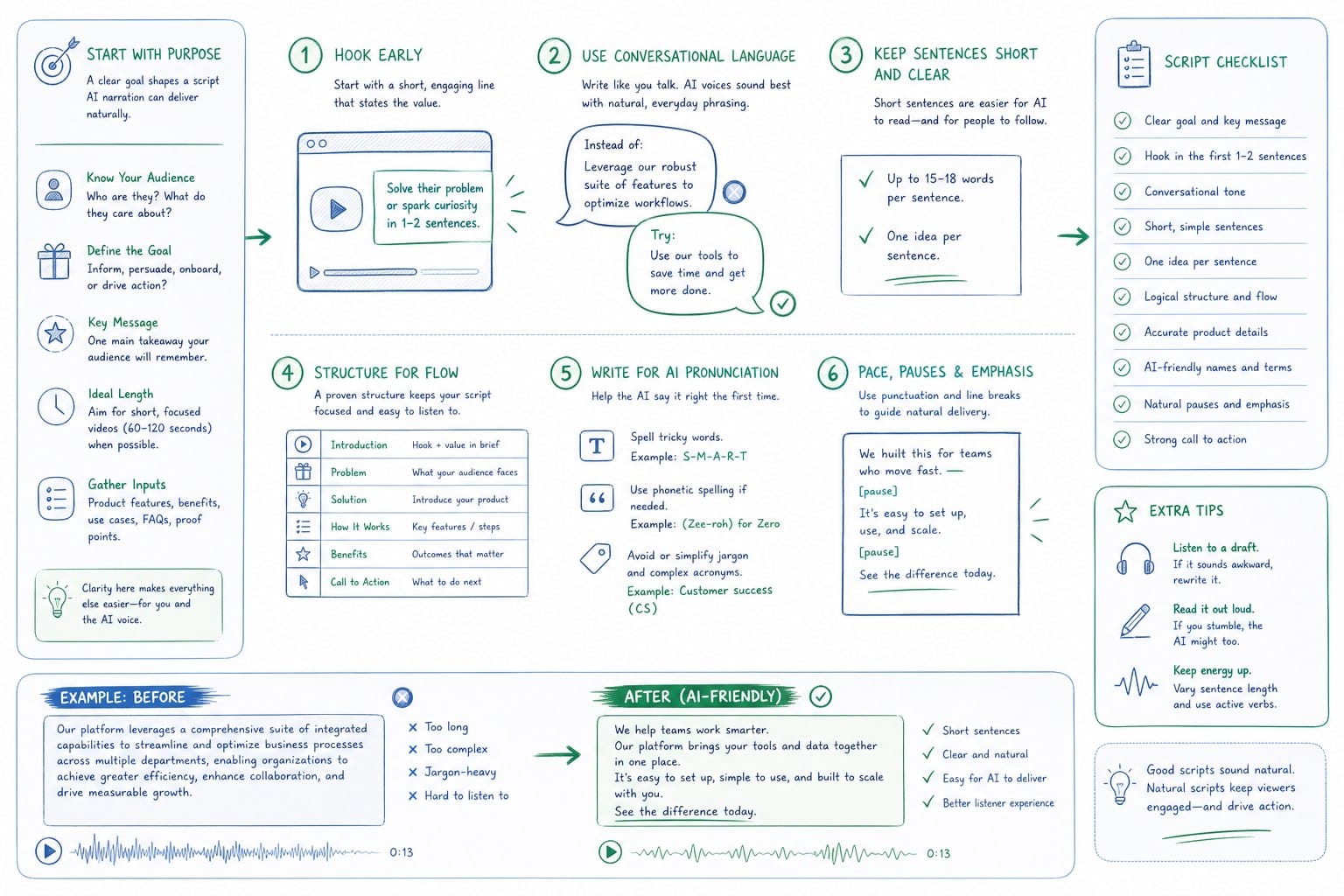
The quality of AI narration in a product video is not only a function of the voice model. It is also a function of the script. A poorly structured script will produce mediocre narration regardless of how good the underlying AI is. A well-structured script will allow the AI to do exactly what it does best: deliver clear, well-paced, authoritative narration that sounds like a real person who understands the product.
Here are the principles I find most useful when writing scripts specifically for AI narration in a product video context.
Write for the ear, not the eye. When you read a script on a page, your brain automatically adds context, emphasis, and pacing. When an AI reads the same script, it only has the words and punctuation to work with. Sentences that look clear on the page can sound ambiguous or flat when spoken. Read every line out loud before you hand it to the AI. If you stumble or add emphasis that is not signaled by the words themselves, rewrite the sentence to make the emphasis explicit.
For example: 'You can see all your active users here' is a fine sentence visually. But when spoken by an AI, the emphasis could land on 'see,' 'all,' 'active,' or 'here,' depending on how the model interprets the context. A better version for AI narration might be: 'This view shows every active user in your workspace, updated in real time.' The meaning is the same, but the structure makes the emphasis obvious.
Use short sentences at moments of visual importance. When the screen is showing the viewer something they need to understand, the narration should be brief and direct. Long, subordinate-clause-heavy sentences compete with the visual information. They split the viewer's attention between processing what they are hearing and processing what they are seeing. Short sentences at key moments let the visual breathe.
Contrast this with moments of transition, where the narration is bridging between two features or two parts of the product. Here, slightly longer sentences are fine because there is less visual information competing for attention.
Avoid jargon that the AI cannot deliver with natural conviction. Technical abbreviations and product-specific jargon are the two most common sources of awkward AI narration. If your script includes phrases like 'our ICP-segmented PLG motion' or 'the webhook-driven event pipeline,' the AI will read those words correctly but may not deliver them with the same natural flow as conversational language. Where possible, write out the concept in plain language for the narration and save the jargon for the on-screen text or the supporting slides.
This is also better for your audience. Most people watching a product video are not deeply familiar with your internal terminology. Plain language narration is more accessible and more persuasive than jargon-heavy narration, regardless of whether it is AI-generated or human-recorded.
Structure the script as a narrative, not a feature list. The most common mistake in product video scripts is organizing them by feature: 'First, here is feature A. Next, here is feature B. Then, here is feature C.' This structure makes the AI narration sound like a catalog reading, because that is exactly what it is. It also fails to build any narrative momentum, so the viewer has no reason to stay engaged through the second half of the video.
A narrative structure gives the video a spine. It starts with a problem the viewer recognizes. It shows how the product addresses that problem step by step. It ends with a resolution that connects back to the opening problem. This arc gives the AI narration something to build toward, which is what allows the prosody modeling to do its best work. The AI can sense that the ending sentence is a conclusion, not just another item in a list, and it delivers it accordingly.
For product videos that will be regenerated after UI updates, write the script at a level of specificity that is stable across updates. If you write 'click the blue Save button in the upper right,' that line will need to be re-recorded every time the button moves or changes color. If you write 'save your changes and move to the next step,' that line survives most UI updates without modification. The narration stays accurate even when the specific visual details change, because the narration is describing what the user is doing rather than what the interface looks like at a specific moment.
This is a discipline that pays off at regeneration time. When you update the visual layer after a product release, you may find that only a small portion of the narration script actually needs to change. The rest of the script is still accurate because it was written at the right level of abstraction. For a team using a credit-based regeneration system, this means fewer credits spent on narration changes and more credits available for updating the visual composition.
You can see how this connects to the broader regeneration workflow in How to regenerate product videos after a UI update.
Finally, plan for pacing in the script itself, not just in the editing. A common approach is to write the full script and then edit the video to fit the narration. A better approach for AI narration is to write the script with the visual pacing already in mind. Think about which moments in the product story need to breathe, which transitions need to move quickly, and which reveals need a beat of silence before the narration continues. Mark these moments in your script draft with simple notes: 'pause here,' 'pick up pace,' 'slow for emphasis.' When the AI narration model processes the script, it will use punctuation and sentence structure to infer some of this. Your notes tell you where to add punctuation or restructure sentences to produce the pacing you want.
For teams at pre-Series B SaaS companies where the founder or a single PMM is doing the script writing, these principles remove most of the guesswork. You do not need a professional copywriter to produce a script that AI narration can deliver well. You need a clear narrative structure, plain language, short sentences at visual moments, and a level of specificity that will survive product updates. Follow those four principles and the AI narration will do the rest.
When the narration script, the voice model, and the visual edit are all managed inside the same platform, as they are in Product Frames, the feedback loop between script quality and narration quality is immediate. You can adjust a line, regenerate the narration, and see how the new delivery sounds against the visual in a single workflow. That iteration speed is what makes it practical to reach film-quality narration without a professional production team and without the scheduling delays that come with booking and re-booking a human voice actor.
Ready to take the next step?
If you are building a product video that needs to sound like a real film and stay accurate after every sprint, Product Frames gives you AI narration, visual composition, and regeneration in one place. Start at productframes.com and see how many seconds of finished video you can generate today.