
How to repurpose a product video across formats without re-editing

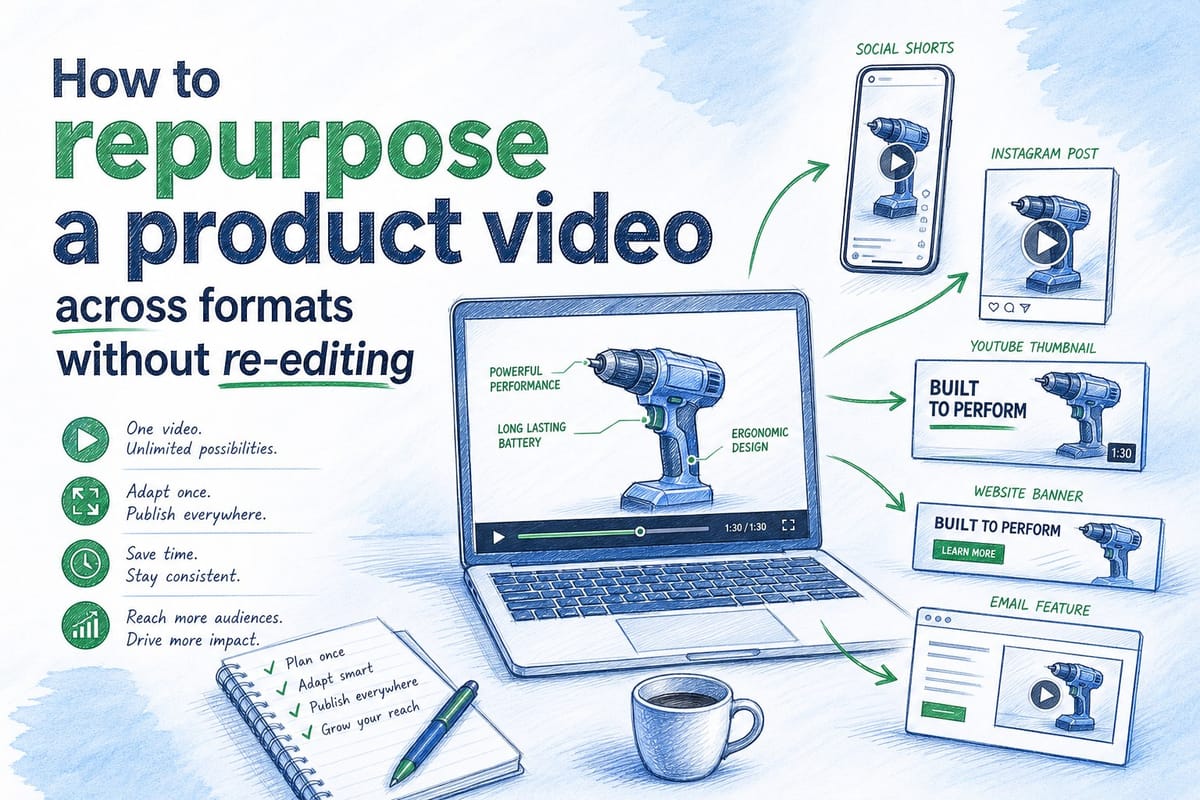
Table of contents
1. Why most product videos break the moment you try to reuse them
2. How to structure your source video so every format is already inside it
3. The practical workflow for distributing across formats without a re-edit
You already have a product video. Maybe it lives on your homepage hero, or a sales rep sent it in a proposal last quarter. The problem is that video was built for one place, one size, and one moment in your product's life. Now your UI has changed, your messaging has shifted, and you need that same content to work on LinkedIn, inside a sales deck, and in an onboarding flow. Re-editing from scratch every time is slow, expensive, and almost always falls behind your sprint cycle. This article walks through how to repurpose a product video across multiple formats without going back to a timeline editor. I will cover what makes a video truly reusable, how to plan your source asset so derivatives are easy to pull, and how teams at pre-Series B SaaS companies are handling this today.
Why most product videos break the moment you try to reuse them
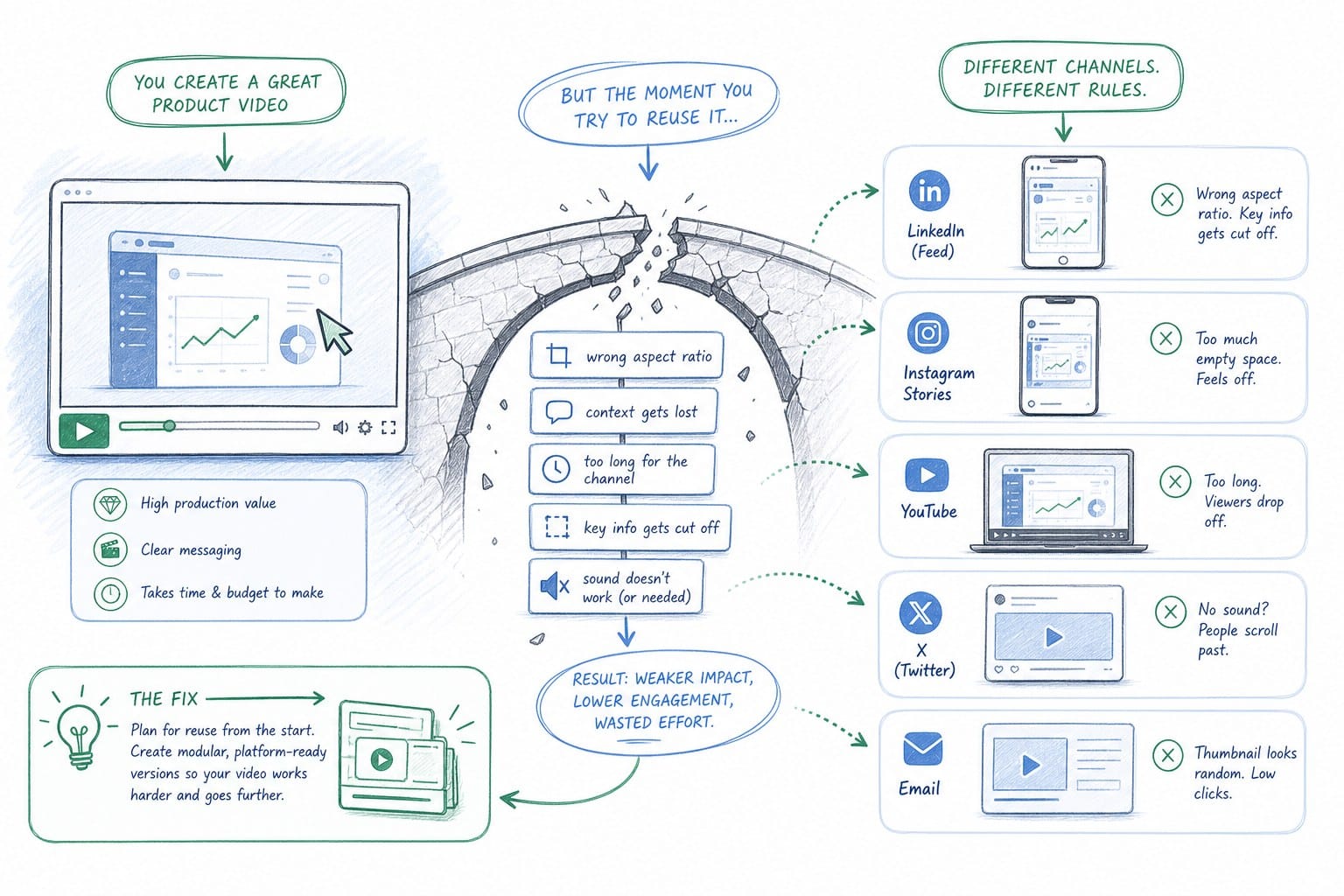
The core problem is not creativity. It is architecture. Most product videos are built as a single, flat export. One resolution, one aspect ratio, one script baked into the edit. When a product marketing manager needs a square crop for LinkedIn or a sales engineer needs a 60-second cut for a deck, someone has to go back to the source files, re-render, and re-export. That takes time nobody has between sprints.
There is also a freshness problem. Product UIs change constantly at growing SaaS companies. A video that showed your onboarding flow in January may show a deprecated sidebar menu by March. Now every derivative of that video is also wrong. You have the wrong UI on your homepage, in your sales deck, and in your CS team's onboarding library, all at once.
Here is what I see happen at most pre-Series B teams. The first video gets made, usually with an agency or a contractor. It looks good. Everyone is happy. Then the product ships a new feature or redesigns a key workflow. Nobody wants to pay the agency again for a refresh, so the video stays live. Over time it drifts further from the actual product. Sales reps stop sending it because prospects notice the discrepancy on calls. CS managers rebuild their own Loom library as a workaround. The original video is now an orphan.
The fix is not to make better videos. It is to make videos that are built to be updated and recut without starting from zero. That starts with thinking about your source asset differently before you ever hit export.
A video built for reuse has three qualities. First, the narration script is modular, meaning sections can be swapped without re-recording the whole thing. Second, the visual footage is tied to a live product state rather than a static screen recording from six months ago. Third, the composition can be regenerated in different aspect ratios from the same source rather than requiring a separate crop edit.
When you have those three qualities, you can actually repurpose a product video across multiple formats without re-editing because the underlying structure supports it. Without them, every format change is a new project.
It is also worth naming what reuse actually means in practice. Reuse is not just resizing a 16:9 video to 1:1. It means taking the same core content and adapting it for the attention span, context, and technical constraints of each channel. A homepage hero video can be 90 seconds because the visitor opted in by going to your site. A LinkedIn autoplay clip needs to make its point in 15 to 30 seconds before the user scrolls. A sales deck insert should be 45 to 60 seconds and drop directly into the problem your prospect mentioned on the last call. An onboarding video in a tooltip can be as short as 10 seconds and should show exactly the UI element the user is looking at right now.
Those are four different content objects, but they can all come from one source asset if that asset was built with the right structure. The section below explains how to build that structure.
How to structure your source video so every format is already inside it
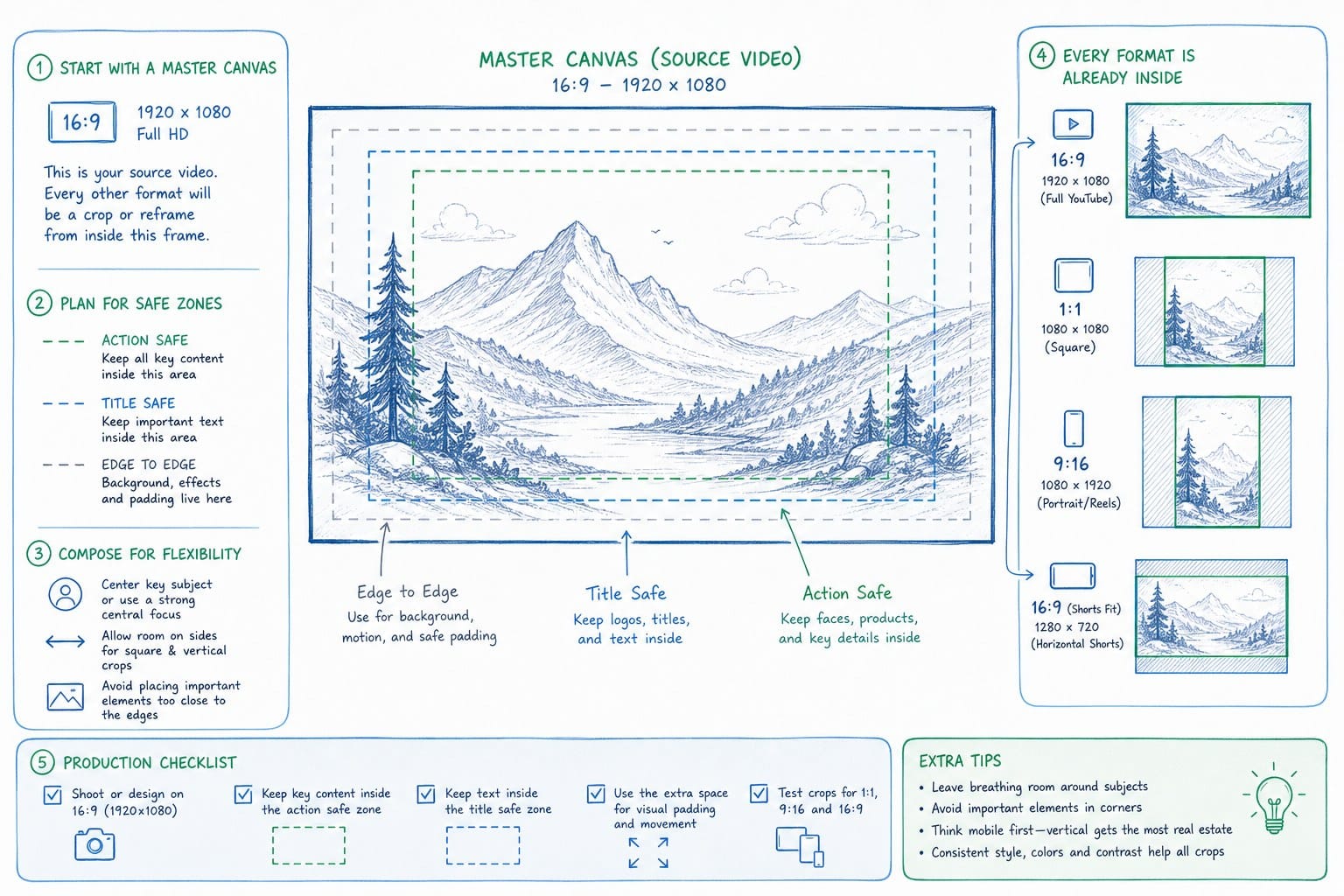
Think of your source video as a master document, not a finished product. A finished product is exported and shipped. A master document is a living thing you pull from. When you plan your video with that mindset, the derivatives become easy.
Here is a practical structure I recommend for B2B SaaS product videos. Plan your script in blocks that correspond to distinct jobs the video needs to do. A typical product video for a pre-Series B SaaS company might have five blocks: the problem statement, the product overview, a feature walkthrough, a social proof beat, and a call to action. Each block should be self-contained. The problem statement block should make sense if played alone. The feature walkthrough should make sense if played alone. That way, a 90-second homepage hero is all five blocks, a 30-second LinkedIn cut is the problem statement and the product overview, and a 10-second tooltip video is just the relevant step from the feature walkthrough.
This is not a new idea. Broadcast teams have been building modular content packages for decades. What is new for SaaS teams is that the tooling now exists to regenerate those blocks after a product update without re-recording or re-editing.
For the visual layer, the key is to avoid hardcoding your screen recordings into a static export. If your video is built on a platform that can reference your live product URL or a current product footage set, you can refresh the visual layer when your UI changes without touching the script or the narration. That is a meaningful difference from a traditional export because it means the video's accuracy is tied to your product state, not to the date someone ran a screen capture.
You can read more about how that refresh workflow works in practice in how to regenerate product videos after a UI update. The short version is that when your composition is built on a regenerable layer rather than a flat export, updating the UI in your video is closer to refreshing a webpage than to re-editing a film.
For aspect ratios, the principle is to avoid rendering to a specific crop in your source. If your composition software can output at multiple ratios from the same source, you want to set that up before your first export, not after. Most teams discover they need a square crop after they have already committed to a widescreen-only source, which forces a re-edit. If you plan for 16:9, 1:1, and 9:16 at the source level, all three are just render settings rather than separate projects.
Let me walk through what this looks like for each common format a SaaS team actually needs.
Homepage hero video: This is typically your longest cut, somewhere between 60 and 120 seconds depending on your product complexity. It runs all five script blocks. The visitor is already on your site, so they have self-selected interest. You want to show them the problem, the product, a key feature or two, and a reason to believe. Autoplay is standard here, so keep the first five seconds visually interesting even without sound. Captions should be on by default.
LinkedIn feed video: Cut this from your problem statement and product overview blocks. Target 20 to 30 seconds. LinkedIn autoplays without sound in the feed, so captions are not optional, they are the content. Your thumbnail frame matters a lot because it is what shows before the video loads. Use a frame that shows the product in action rather than a logo or a talking head.
Sales deck demo clip: This is where a lot of teams underinvest. A well-placed video clip inside a proposal deck can do more work than a written feature description because it shows rather than tells. The right length is 45 to 90 seconds. You want to pull the feature walkthrough block and the social proof beat, possibly with a custom intro if you are personalizing for an account. The critical thing here is accuracy. A demo clip that shows a UI your prospect will not recognize when they log in creates friction rather than confidence. For more on keeping these clips current, the breakdown in SaaS sales deck demo video: keep demo clips accurate between proposals is worth reading before your next proposal cycle.
Onboarding tooltip or in-app video: This is typically a 10 to 30 second clip showing exactly one action or workflow step. It should match the current product UI as precisely as possible because the user is looking at the actual product while watching the video. If the video shows a button that has moved, you have created confusion at exactly the moment you were trying to reduce it. This is the format most sensitive to product changes, which means it benefits most from a regenerable source.
Email video thumbnail: Most email clients do not play video natively, but a thumbnail that looks like a video with a play button drives higher click-through rates than a static image. Export a strong frame from your hero video, add a play button overlay, and link it to your hosted video page. No re-editing required. This takes about five minutes if your source video is already live.
When you map your content blocks to your target formats before you start production, you will notice that the total additional work for each new format is small. The problem statement block is already written and recorded. The feature walkthrough is already there. The work is in selecting the right blocks and setting the right render parameters, not in starting a new creative project.
The practical workflow for distributing across formats without a re-edit
Planning is one thing. The actual workflow is where teams run into friction. Here is how I see this work well at SaaS teams that are moving fast without a dedicated video production resource.
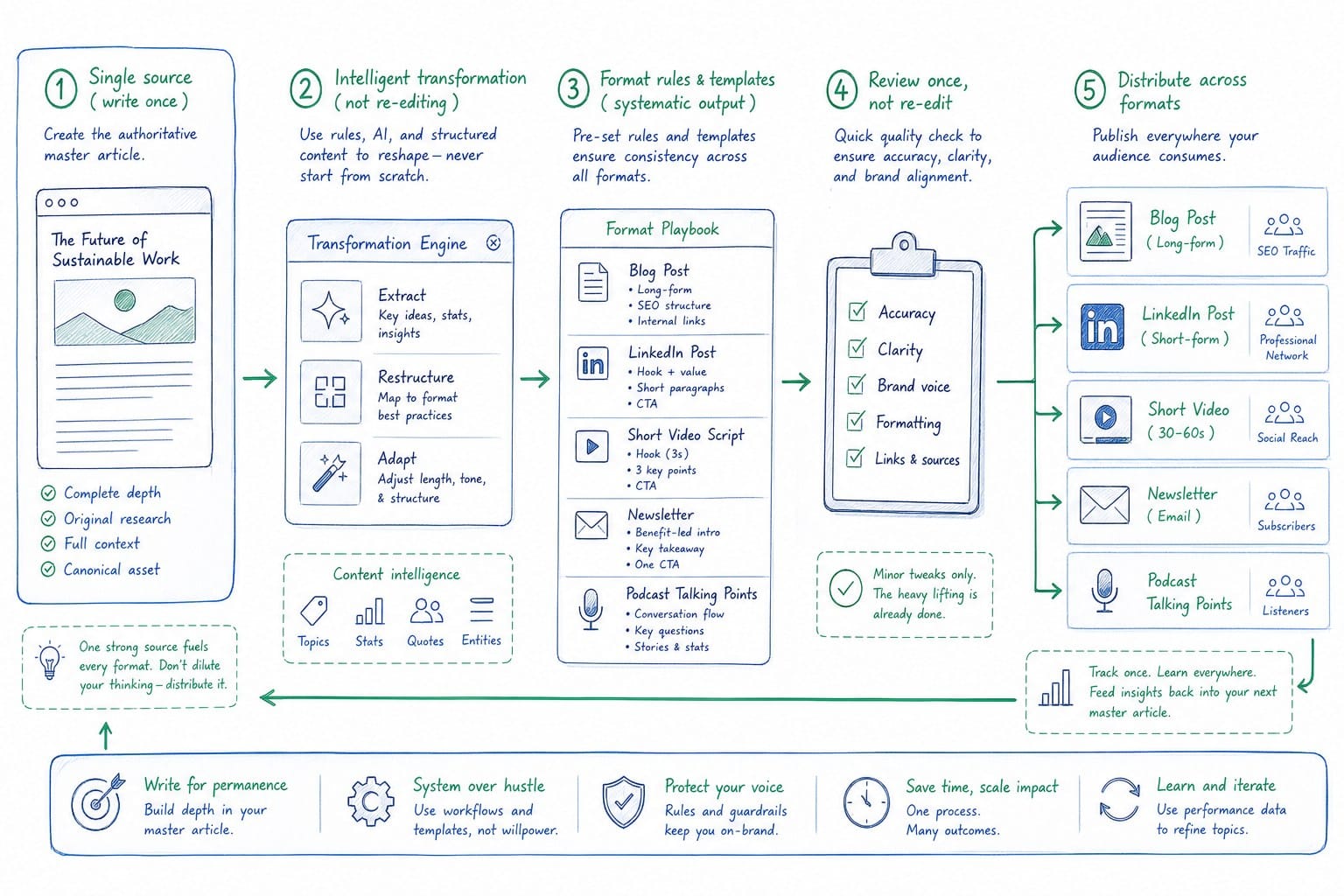
Step one: Maintain one source composition, not one exported file. There is a meaningful difference between those two things. An exported file is a finished artifact. A source composition is an editable, regenerable structure. If your video tooling gives you a source composition that can produce multiple outputs, treat that composition as your primary asset, not the exported MP4. The MP4 is downstream of the composition. When your product updates, you refresh the composition and re-export. You do not start a new project.
This is especially relevant for teams using platforms like Product Frames, which generates narrated video compositions from a product URL or existing footage and makes them regenerable after product updates. The credit system Product Frames uses, where one credit equals one second of finished video output, makes it practical to refresh a 60-second hero video or produce a 20-second LinkedIn cut without the cost structure of a traditional agency or contractor. For teams in a sprint cycle, that changes the math on keeping videos current.
Step two: Create a format map before your first export. A format map is a simple document, a spreadsheet works fine, that lists every channel where your video will appear, the required aspect ratio, the target length, and which script blocks belong in that version. You fill this out once, and then every time you refresh or repurpose, you pull from the same map. It takes about an hour to build and saves significant time every time you need a new format.
Here is an example of what that map might look like for a product marketing team at a B2B SaaS company.
Homepage hero: 16:9, 90 seconds, all five blocks, autoplay with captions, hosted on website.
LinkedIn launch post: 1:1, 25 seconds, problem statement plus product overview, captions baked in, uploaded natively to LinkedIn.
Sales deck insert: 16:9, 60 seconds, product overview plus feature walkthrough plus social proof, shared as a link from the deck.
Onboarding tooltip for feature A: 16:9 or 1:1 depending on tooltip design, 15 seconds, step two of the feature walkthrough only, embedded in the product UI.
Email campaign thumbnail: 16:9 still frame with play button overlay, linked to homepage hero hosted page.
That is five content objects from one source composition. None of them required a fresh recording session or a new creative brief.
Step three: Build a refresh trigger into your sprint process. The most common reason product videos go stale is that there is no clear owner and no clear moment when the video is supposed to be reviewed. Product ships, the changelog goes out, the video team does not see it until a customer mentions the discrepancy on a call three weeks later.
The fix is straightforward. Add a video review item to your sprint close checklist. It does not need to be a full review every sprint. A quick check of whether the shipped changes touched anything shown in the video is enough. If they did, the owner flags the composition for a refresh. If your tooling supports regeneration from a product URL or updated footage, that refresh can happen in hours rather than days.
For customer success and enablement teams, this is particularly important. Onboarding videos that show the wrong UI are not just inaccurate, they actively erode trust at a moment when a new user is trying to build confidence in the product. Keeping those videos current is a retention issue, not just a marketing issue. The relationship between product video accuracy and customer success outcomes is covered in more depth in what is a product film and how does it differ from a demo or explainer video.
Step four: Standardize your hosting and distribution so adding a new format does not require a new setup. Each channel should have a home for your video that you control. Your homepage hero lives on your website with a direct URL. Your LinkedIn videos are uploaded natively. Your sales deck videos are hosted at a stable URL that can be dropped into any deck without re-uploading. Your onboarding videos are embedded from the same host you use for your homepage content.
The goal is that when you refresh or repurpose, you update the file at the source and it propagates to wherever it is embedded. That is not always possible depending on your hosting setup, but it is worth optimizing for because it reduces the manual distribution work every time you produce a new format.
Step five: Track which formats are actually driving results and cut the ones that are not. This sounds obvious but most teams do not do it. They produce five formats because a blog post said to, and then they maintain all five indefinitely regardless of whether any of them are performing. Check your video play data, your LinkedIn video metrics, and your sales deck engagement analytics every quarter. If one format is getting no views, stop maintaining it. If one format is driving a disproportionate amount of pipeline or onboarding completion, produce more variations of that one.
When you repurpose a product video across multiple formats with this kind of intentional workflow, you stop treating video as a one-time production and start treating it as a content system. The production cost per format drops significantly because you are not starting from scratch. The accuracy improves because you have a refresh process built into your sprint cycle. And the distribution becomes systematic rather than ad hoc.
For growth and marketing teams distributing across LinkedIn, website heroes, and social feeds, the format map approach also makes it much easier to bring in a new team member or contractor without re-explaining the whole video strategy. The map documents the decisions. The composition documents the content. New formats are just new rows in the spreadsheet.
One last thing worth saying directly. The biggest barrier I see to teams actually doing this is not tooling or budget. It is the mental model that video is a finished thing rather than a living asset. Once you shift to thinking of your source composition as something you maintain and pull from rather than something you produce and archive, the format problem mostly solves itself. The content is already there. You are just packaging it differently for each context.
Ready to take the next step?
If your current product video is already out of date or locked to a single format, Product Frames can help you build a source composition that stays current after product updates and exports to the formats your team actually needs. Visit productframes.com to see how it works.