How to create a LinkedIn product video that drives B2B SaaS pipeline

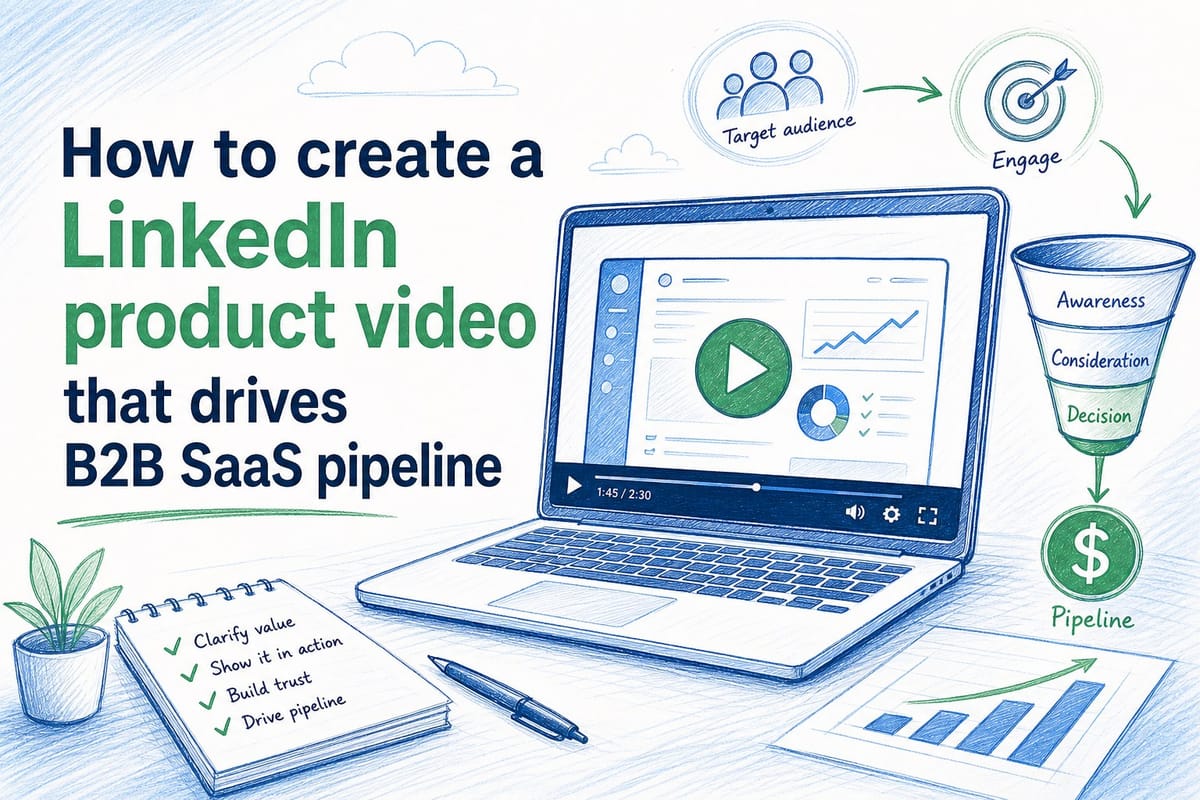
Table of contents
1. Why most LinkedIn product videos lose before they start
2. How to structure and script a LinkedIn product video that builds pipeline
3. Keeping your LinkedIn product videos current without rebuilding them every sprint
LinkedIn is one of the few places where a B2B SaaS company can put a product video in front of a decision-maker without paying for a trade show booth or waiting for a Google search to convert. But most product videos posted there either get skipped in three seconds or show a UI that changed two sprints ago. Neither outcome builds pipeline. This guide walks through how to create a LinkedIn product video for B2B SaaS that earns views, starts real conversations, and keeps working after your next deployment — without requiring a full agency re-engagement every time your product ships something new.
Why most LinkedIn product videos lose before they start
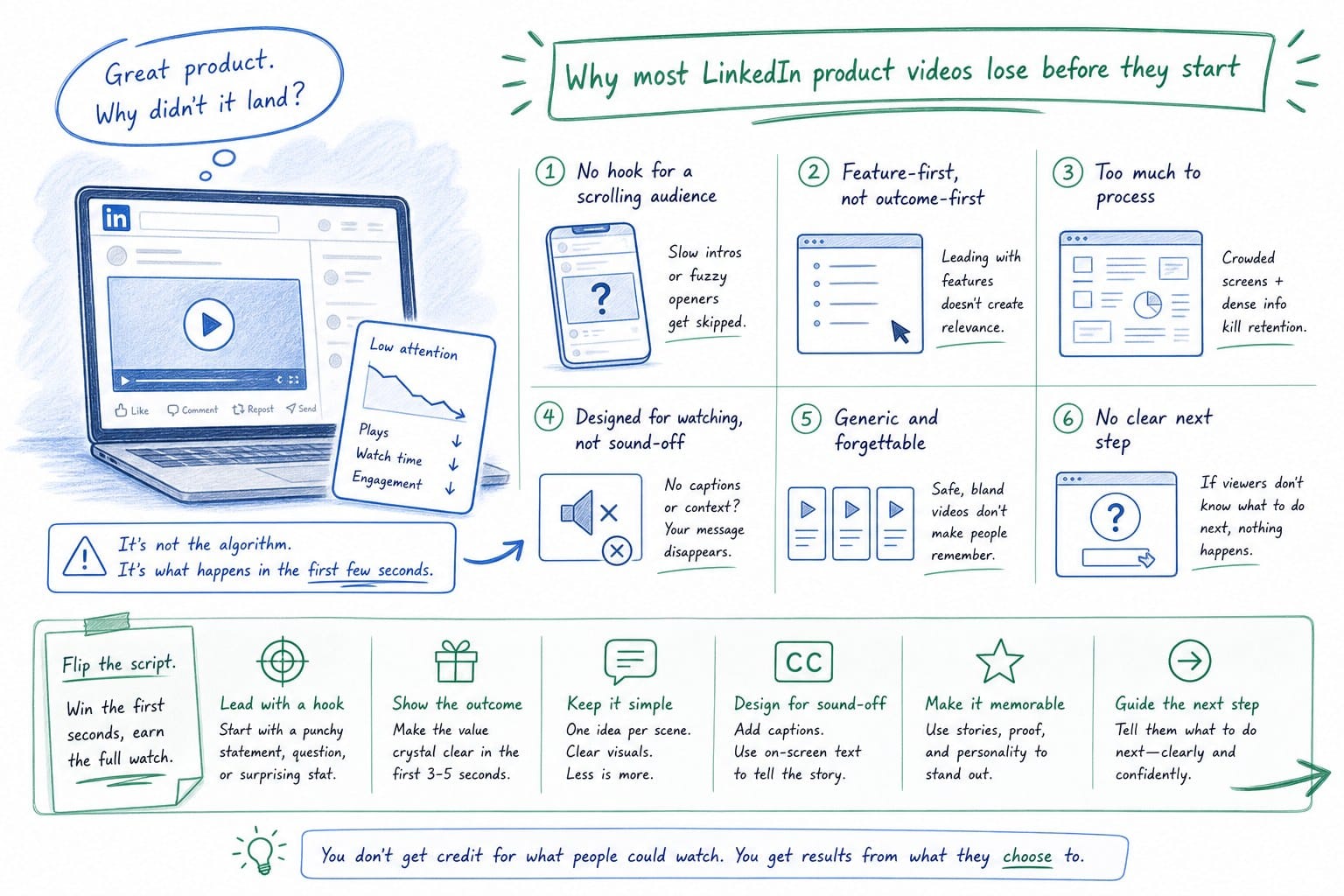
The average LinkedIn feed moves fast. A user scrolls between a job announcement, a thought leadership thread, and a competitor's ad. Your product video has roughly two to three seconds to earn the next five. If it fails that test, no amount of clever caption writing saves it.
Most B2B SaaS teams lose that test for one of three reasons, and all three are fixable once you see them clearly.
The video opens on a logo or a branded animation.
Logos are not problems. Logos are not stories. Nobody scrolling a LinkedIn feed wakes up curious about your brand mark. They wake up curious about their own problems — the broken process, the missed number, the workflow that eats two hours every Tuesday. Open on the problem, not the logo. If the first frame does not immediately signal that you understand something the viewer is already living with, they are gone.
This is not just theory. Think about how you actually behave in your own LinkedIn feed. You pause when something reflects your reality. You skip when something asks you to pay attention before it has earned any. Your buyers behave the same way. Give them a reason to stop in the first two seconds, and give them that reason in the form of a problem they recognize — not a company they have not yet decided to care about.
The video shows a UI that no longer matches the current product.
This sounds like a minor cosmetic issue. It is actually a trust problem with measurable consequences. A prospect who clicks through from your video and lands on a trial account sees a different interface than the one in the video. Navigation has moved. A dashboard looks different. A feature they were specifically curious about does not appear where you said it would. That gap creates doubt, and doubt kills conversion at exactly the moment you need confidence to build.
Keeping videos current is one of the most underestimated parts of a sustainable video strategy. Most teams accept that their product videos go stale and treat it as an unavoidable cost of doing business. It is not unavoidable — it is a production architecture problem, and we will cover the solution in the third section. For now, the point is that stale footage is not a cosmetic issue you can ignore. It is a signal to buyers that your company does not sweat the details, which is exactly the wrong signal to send to someone evaluating whether to trust you with their workflow.
The video tries to do too much.
It opens with a product overview, moves to a feature deep-dive, pivots to a customer quote, and ends with a pricing callout. That is a webinar, not a LinkedIn video. LinkedIn rewards content that delivers one clear idea quickly. Everything else belongs in a follow-up asset — a longer demo, a case study page, a sales call. Trying to pack four conversion goals into ninety seconds is why most teams end up with a video that accomplishes none of them well.
Before you touch a script or open a screen recorder, get specific about the one job your video needs to do. Is it generating inbound connection requests from ICP accounts? Is it warming a prospect who is already in a deal cycle? Is it triggering demo requests from a cold audience that has never heard of your product? Each job requires a different video. A video built for cold awareness needs a different opening, a different structure, and a different call to action than a video built for late-stage deal support. Collapsing those into one piece of content is the most common structural mistake teams make.
There is also a production trap worth naming directly.
Many B2B SaaS teams end up at one of two extremes. They either spend three months with an agency producing something polished that goes stale in two product releases, or they record a quick Loom that looks rough and inadvertently signals that quality is not a priority. The goal is a third path: a video that looks intentional and professional, can be updated after every sprint without starting from scratch, and can be reformatted for different placements without a separate production run.
That standard is achievable. But it requires treating LinkedIn product videos as a category of repeatable, maintainable content rather than a one-time production event. The moment you make that shift, the strategy gets simpler. You stop thinking about a single hero video that has to do everything and start thinking about a library of short, specific, always-current clips that serve different stages of the buyer journey. Some are sixty seconds for cold audiences. Some are two minutes for warm accounts. Some are designed for a specific use case your AE keeps explaining on calls. All of them are accurate, and all of them can be updated when the product ships something new.
That is the foundation. Get this part wrong and no distribution tactic or caption strategy fixes it. Get it right and everything downstream gets easier.
How to structure and script a LinkedIn product video that builds pipeline
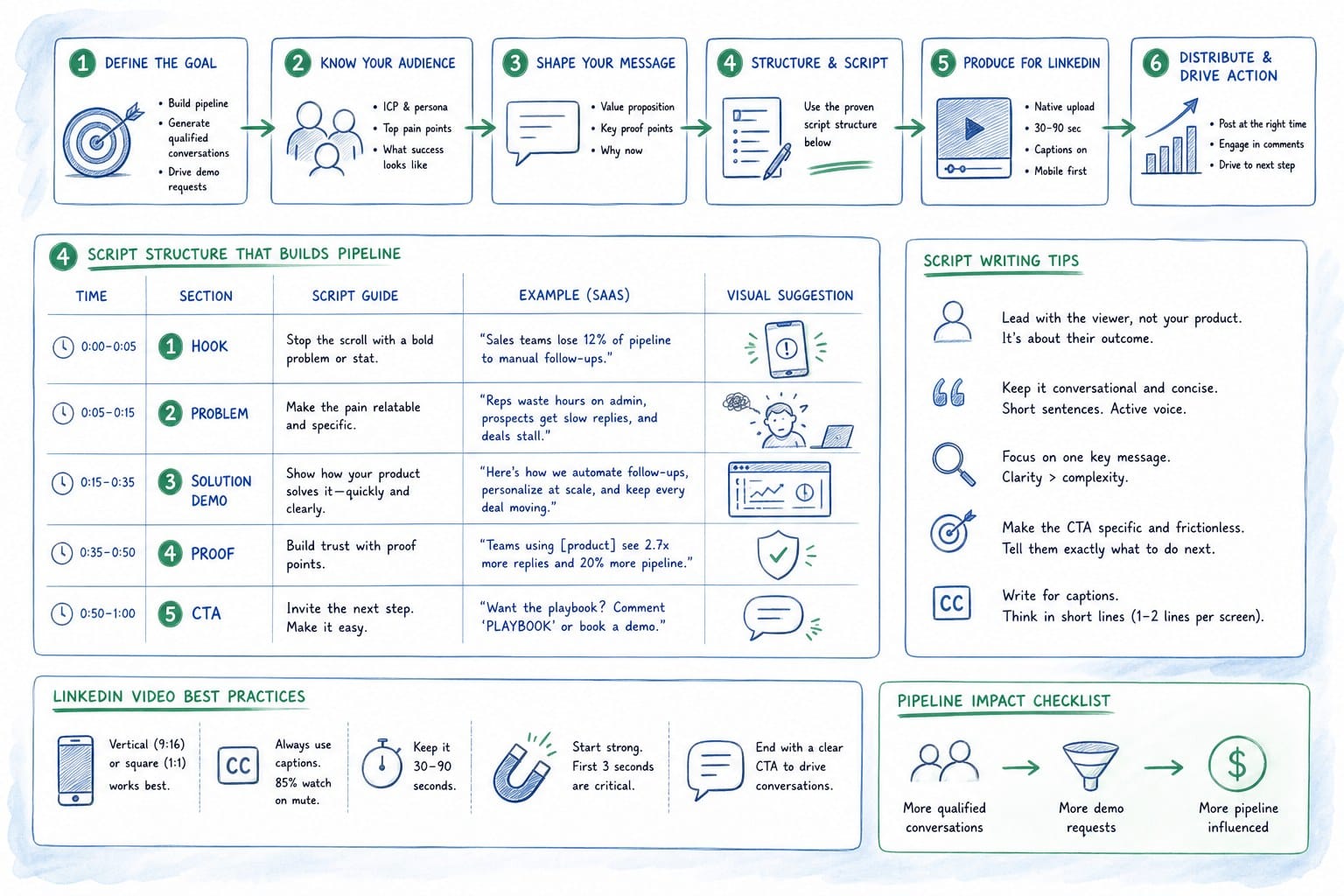
Structure is the most reliable lever you have in video content. Good structure makes an average script work. Bad structure kills a great script. Here is the framework that consistently performs for B2B SaaS teams posting product videos on LinkedIn.
Open with the pain in the first five seconds.
Not your product name. Not your tagline. The pain. Something the viewer already feels before they ever heard of your company. If you sell a revenue intelligence tool, open with something like: revenue forecasts that are wrong until the quarter closes. If you sell an onboarding platform, open with: new users who disappear before they ever see your core feature. If you sell a spend management tool, open with: finance teams reconciling expenses in spreadsheets three days after the quarter ends.
The viewer should feel recognized immediately. That recognition is what earns the next ten seconds. It does not require a dramatic voice or a flashy graphic. It requires specificity. Vague pain statements do not land. Precise ones do. The more specifically you name the problem, the more the right buyer feels like you are talking directly to them — and the less the wrong buyer feels like the video is for them, which is also a useful outcome.
Spend the next thirty to sixty seconds showing the product solving that specific problem.
This is where screen capture or a composed product walkthrough does the work. Do not narrate every click. Show the key interaction, name the outcome, and move on. Buyers watching a LinkedIn video do not need to understand every feature in the first ninety seconds. They need to believe that a solution exists and that learning more is worth their time. That belief is built through demonstration, not description.
Avoid the temptation to show every feature you are proud of. Pick one flow that directly solves the pain you named in the opening. Walk through it clearly. Show the before and the after. Make the viewer feel the relief of the problem being solved, even if it is a thirty-second product clip. That feeling is what drives them to the next step.
Close with a single, specific call to action.
Not watch more videos. Not follow our page for more tips. Something that creates a real next step in a pipeline: book a demo, start a free trial, see how it works with your stack. One action. One link in the caption. When you give viewers multiple options at the end of a video, they are more likely to choose none of them. Decide in advance what you want them to do next and build the entire video around earning that specific action.
On length: shorter videos with high completion rates win.
LinkedIn's algorithm has historically favored videos that hold attention through to the end. A sixty-second video that 70% of viewers complete outperforms a three-minute video that 15% of viewers complete, even if the longer video has more total impressions. For a cold audience, target sixty to ninety seconds. For a retargeting audience or a warm account that is already in a deal cycle, two to three minutes is defensible because those viewers already have context and motivation to go deeper.
That does not mean you pad shorter videos to hit a target or cut longer videos to the point of losing the explanation. Length should match the complexity of what you are showing. A simple use case can be communicated in sixty seconds. A multi-step workflow that requires context might need two minutes. Let the content dictate the length and then be ruthless about cutting anything that does not move the viewer forward.
Captions are not optional.
Most LinkedIn videos play on mute by default. Every word spoken in the voiceover needs to appear as on-screen text or as a burned-in caption. A video that communicates only through audio is functionally invisible to the majority of viewers who never unmute it. This is not a stylistic preference — it is the basic requirement for reach on the platform. If your production process does not include captioning as a built-in step, you are leaving most of your potential audience behind on every video you post.
On-screen text also functions as a second layer of emphasis. Use it to highlight the key outcome, the name of the feature, or the specific pain being solved. Viewers who are moving fast through their feed will often read a caption before they decide whether to unmute. Make that caption worth reading.
Aspect ratio matters more than most teams realize.
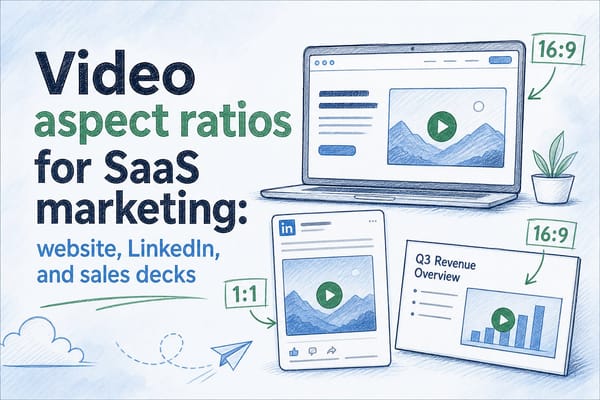
A 16:9 horizontal video posted natively on LinkedIn takes up less vertical real estate in the mobile feed than a 1:1 square or a 4:5 portrait video. More real estate in the feed means more attention before the viewer makes a decision about whether to engage. This is why teams that are serious about LinkedIn distribution plan for multiple aspect ratio outputs from the start rather than treating it as an afterthought after the horizontal version is done.
If your production process makes it painful to export in multiple ratios, you will skip it every time. If your platform handles multiple ratios as part of the standard output, you will always have them. That distinction compounds over time into a significant difference in distribution reach.
Script the narration like a human, not a press release.
The best scripts for LinkedIn product videos use plain language, active verbs, and short sentences. Read every line out loud before you record or generate anything. If you run out of breath before the period, the sentence is too long. If you would not say it in a sales call, cut it. Phrases like unlock the power of or streamline your workflows or leverage our platform are not how humans talk, and they do not build trust with buyers who hear that language a hundred times a day.
Write the script as if you are explaining the product to a smart friend who works in the buyer's industry but has never seen your product. What would you say first? What problem would you name? What would you show them? That conversational constraint produces better scripts than writing for a brochure.
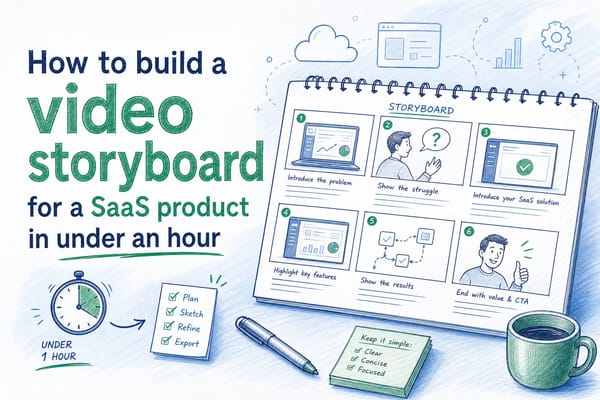
If you want a practical process for mapping your video content before you record anything, building a storyboard first saves significant revision time later. There is a detailed walkthrough on how to build a video storyboard for a SaaS product in under an hour that covers the exact sequence worth following before generating any video output.
Think of the video as the first asset in a sequence, not a standalone piece.
The LinkedIn video earns the click. A landing page or demo booking flow converts it. If the page the viewer lands on does not match the specific promise the video made — the same pain, the same language, the same feature — you lose the conversion even though you won the click. Map every video to a specific destination before you publish it. Check that the destination page reflects what the video promised. A tight handoff between the video and the next step is one of the highest-leverage optimizations most teams skip.
This also means your video strategy and your conversion architecture have to be built together, not independently. If you have a great video pointing to a generic homepage, you have a leaky funnel. If you have a video-specific landing page with a direct demo booking flow and matching language, you have a conversion asset.
Keeping your LinkedIn product videos current without rebuilding them every sprint
Here is the problem most B2B SaaS marketing teams quietly accept: the video is accurate on the day it ships and slightly wrong by the following Tuesday.
Product releases happen on two-week sprints. UI changes. New features replace old ones. Navigation moves. The dashboard that appears in your LinkedIn video in January might look completely different by March. If your video production process requires a full agency re-engagement or even a half-day re-recording session to update the footage, you will not update it. You will let the stale video run and hope prospects do not notice the gap between what they saw and what they find when they log in.
This is not a hypothetical scenario — it is the industry norm.
Product marketing managers at pre-Series B SaaS companies routinely run the same product explainer video on LinkedIn and their homepage for eighteen months or longer, through two or three major UI overhauls, because rebuilding it feels too expensive and too slow. The video is visibly wrong. They know it. They keep running it because the alternative seems to cost six weeks and $12,000 and a full creative brief.
The cost of that decision is harder to measure than a production invoice but it is just as real. A prospect who watches a LinkedIn product video showing features or flows that differ from the product they access in a trial has to reconcile two conflicting experiences. That reconciliation requires effort, and effort in a buying process is friction. Friction creates doubt. Doubt stalls deals.
There is a subtler signal problem too. B2B buyers are evaluating vendors on dozens of dimensions simultaneously, including attention to detail. A company that lets its marketing materials go stale is implicitly communicating something about how it maintains its product, its documentation, and its customer relationships. That inference may be unfair, but it happens. Stale video content is not just a marketing quality issue — it is a trust signal that shows up in buying decisions.
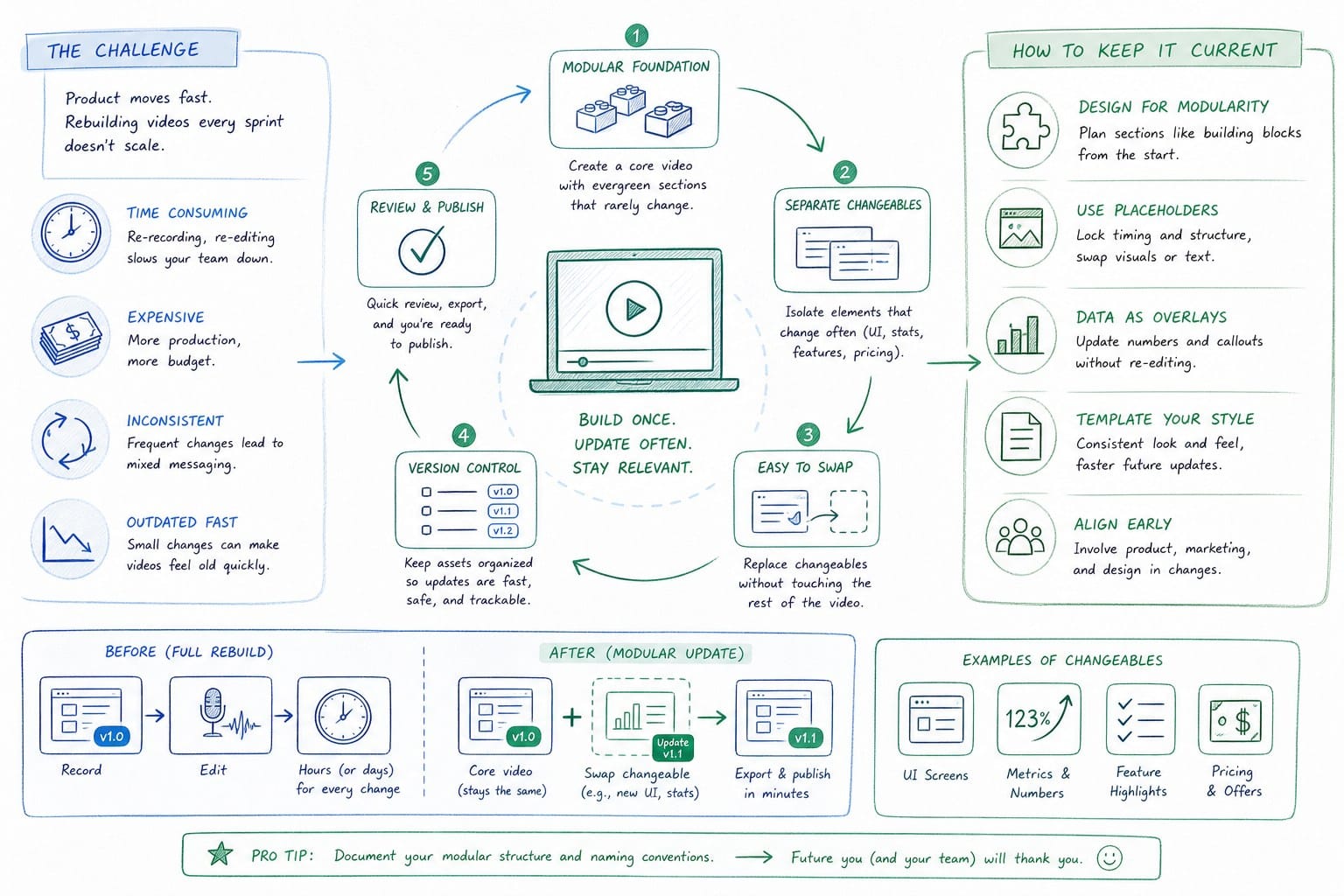
The architecture that solves this is a video platform built for regeneration, not just rendering.
When your product changes, you update the source footage or the product reference the platform pulls from, and the video regenerates with the same structure, narration, and composition intact. You are not starting over from a blank timeline. You are updating a living asset. That distinction is the entire difference between a video strategy that scales with your product velocity and one that collapses under the weight of it.
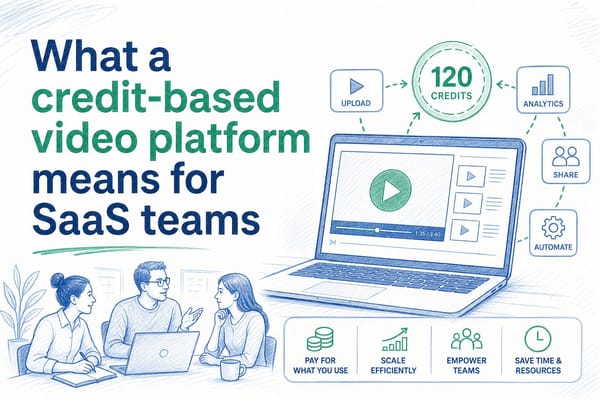
Product Frames is built on this model. You bring a product URL or existing footage, and the platform generates a narrated, composited video that you can edit and regenerate as your product evolves. The credit system means you pay for finished video output rather than for seats or subscriptions to features you do not use month to month. If you want to understand how that model works in practice and whether it fits your team's workflow and budget, the breakdown on what a credit-based video platform means for SaaS teams covers the mechanics clearly.
For founders, there is an additional layer to this problem.
If you outsource your product video narrative before you have worked out what the video needs to say and why, you are handing an agency a blank check and hoping they understand your buyers well enough to get the message right. Sometimes they do. More often they produce something visually polished that does not reflect how your actual buyers think about the problem — because your actual buyers' thinking lives in your sales calls, your support tickets, and your customer interviews, not in a creative brief.
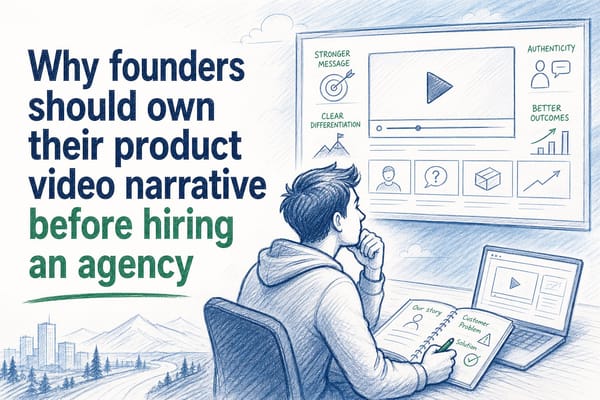
The person who understands the product's value proposition most deeply should shape the video's core message before anyone else touches it. That usually means a founder, a product marketer, or a senior AE who has run dozens of deals. Once the message is locked, production is much faster and the output is much more accurate. Outsourcing the message along with the production is what produces expensive videos that miss the point. There is more on this dynamic in the piece on why founders should own their product video narrative before hiring an agency.
For customer success and enablement teams, the stakes look different but the problem is the same.
Onboarding videos that show the wrong UI create support tickets. A new user following a video walkthrough who cannot find the button shown in the recording does not assume the video is outdated. They assume they are doing something wrong, which creates friction, erodes confidence in the product, and increases churn risk. Keeping onboarding video content current is a retention issue. The cost of letting it go stale shows up in your support volume and your activation rates, not just your marketing metrics.
For sales teams using video in decks and proposals, the same dynamic plays out in deal cycles. A prospect who sees a specific feature in your demo video and then asks about it on a call, only to learn that the UI has changed since the video was recorded, has to do extra cognitive work to reconcile the two experiences. That extra work is friction. In late-stage deals, friction is dangerous because it introduces hesitation at exactly the moment you need confidence to close.
The practical recommendation is to set a review cadence that matches your sprint cycle.
Every two weeks or every month, someone on the GTM team checks whether the video still accurately represents the product. If it does not, the video gets updated before it runs another thousand impressions. That discipline only works if the production process is fast enough to support it. If updating a video takes six weeks, you will not do it on a two-week cadence no matter how committed the team is. If it takes an afternoon, it becomes a standard part of the sprint review.
Building that cadence requires two things: a clear owner (typically a product marketer or a growth-focused content lead) and a production tool that makes regeneration fast enough to be practical. Without both, the review cadence exists as a policy but not as a practice.
On distribution: native video consistently outperforms linked video on LinkedIn.
Post the video file directly rather than linking to an external YouTube or Vimeo URL. LinkedIn's algorithm deprioritizes posts that send users off the platform, which means a linked video gets dramatically less organic reach than a natively uploaded file even if the production quality is identical. This is one of the most commonly ignored distribution best practices and one of the easiest to fix.
Write a caption that earns the first three lines before the read more cutoff, because most viewers never expand the caption. Those first three lines are the headline, the hook, and the first sentence of the argument. Make them do real work. Do not use them for boilerplate like excited to share our latest product video. Use them to reinforce the pain you named in the opening frame.
Tag relevant people sparingly and only when the tag makes genuine sense in context — not as a reach hack. Spammy tagging trains your audience to ignore tags, and it can create friction with the people you tag if they feel used rather than included.
Test different thumbnails when your platform supports custom selections. The thumbnail is the cover of the book. For most B2B SaaS audiences, a thumbnail that shows the actual product interface with a clear visual payoff performs better than a branded graphic or a headshot. It signals immediately that this is a product video and not a talking-head post, which sets accurate expectations and attracts the right viewer.
Finally, track the metrics that predict pipeline rather than the ones that feel good.
Views and impressions measure reach. Comments and direct message requests following a video measure engagement that leads somewhere real. Profile visits in the 48 hours after a video posts measure intent from viewers who wanted to learn more about the company behind what they saw. Click-through rate to your demo booking page or trial signup measures conversion.
Build a simple dashboard that shows those four numbers for every LinkedIn video you post and you will have an honest read on what is working. That data tells you which pain statements resonate, which product flows earn clicks, which calls to action convert, and which audience segments actually engage. Over time, that feedback loop is how you build a LinkedIn product video strategy that compounds instead of plateauing.
The teams that win on LinkedIn with product video are not the ones with the largest production budgets. They are the ones who stay current, stay specific, and treat video as an ongoing content practice rather than a quarterly production event.
Ready to take the next step?
If you are building a LinkedIn product video strategy for your B2B SaaS company and need videos that stay accurate after every release, Product Frames generates narrated, editable product video compositions from your product URL or existing footage. Visit productframes.com to see how it works and start building videos your sales team can actually use in the field.