
How to regenerate product videos after a UI update

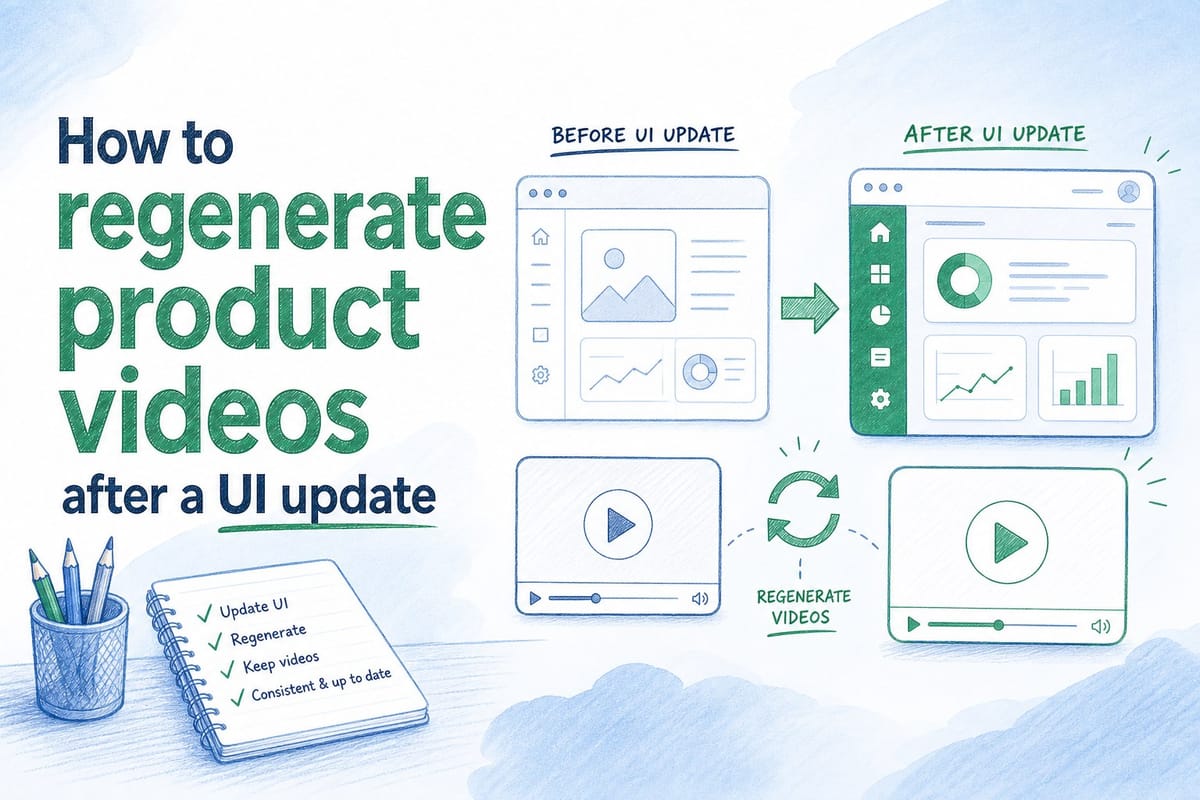
Table of contents
1. Why product videos go stale faster than you think
2. A practical workflow for regenerating product videos after a UI update
3. Who owns the regeneration workflow and how to keep it running across sprints
Your product ships a new UI. The sidebar moves. The dashboard gets a fresh coat of paint. The onboarding flow changes. All of that is great news for your users, but it creates an immediate problem for your team: every product video you own is now out of date. The demo on your homepage shows a nav that no longer exists. The walkthrough your sales rep sent last week has a button in the wrong place. The onboarding video your CS team relies on walks new users through a screen they will never actually see. This is the UI update video problem, and it affects nearly every B2B SaaS team that ships product regularly. In this article, I want to walk through exactly how to regenerate product video after ui update cycles so that your videos stay accurate, your team stays efficient, and you stop treating video as a one-and-done project.
Why product videos go stale faster than you think
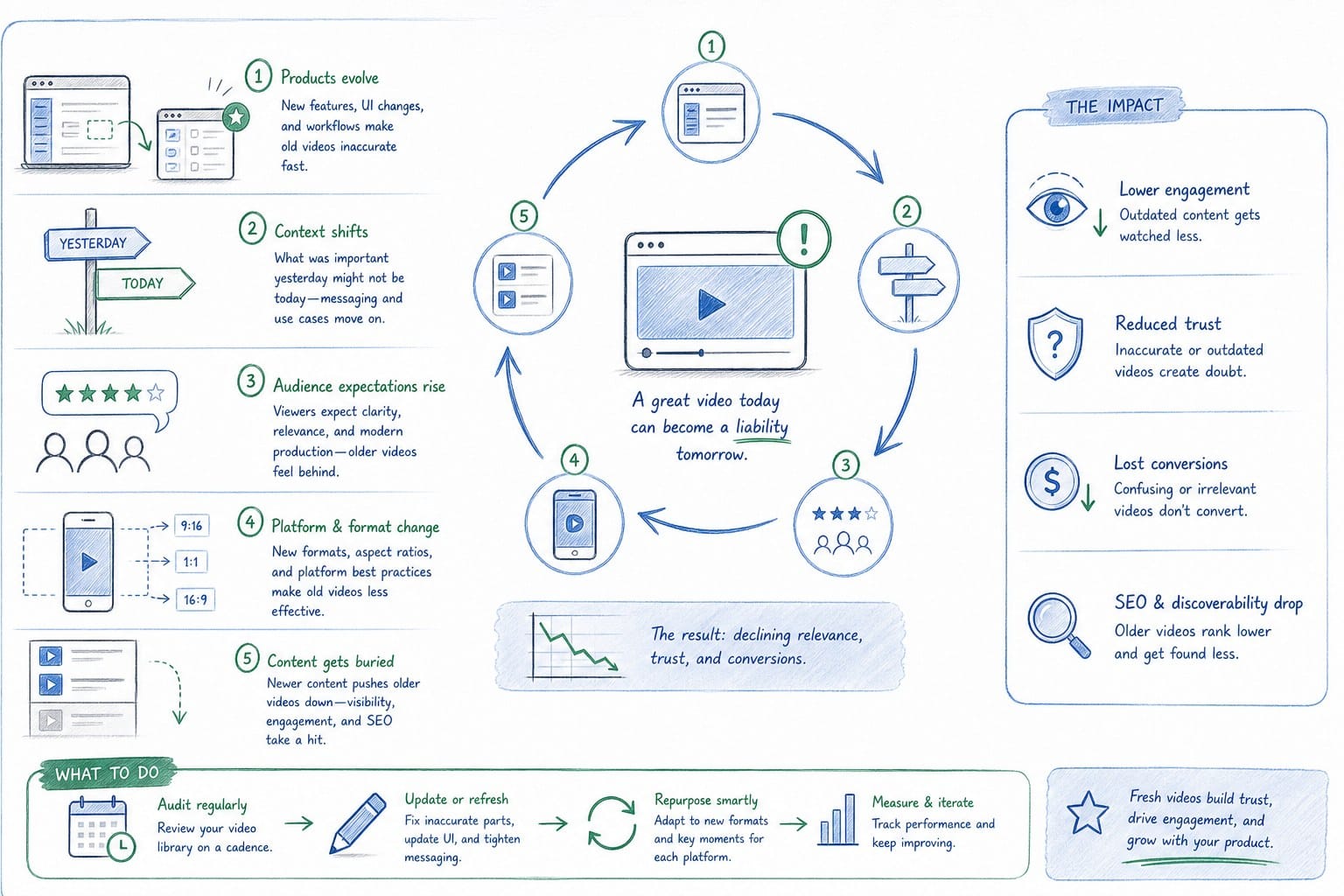
Most B2B SaaS teams treat product video as a launch asset. They invest time or money in a recording session, get a polished output, publish it to the homepage, and move on. Then the product ships again. And again. And three sprints later, the video on the site shows a completely different version of the product than what users actually get when they sign up.
This creates a trust problem. Prospects who watch your homepage video and then log in for a trial notice the difference. It makes the product feel inconsistent. CS teams dealing with onboarding calls hear comments like "that looks different from the video." Sales reps start adding disclaimers to their deck walkthroughs. None of that is the outcome you worked toward when you made the video.
The rate of UI change is faster for pre-Series B SaaS teams than for mature products. You are iterating on core flows. You are moving navigation elements based on user feedback. You are redesigning dashboards as you learn what your users actually need. That velocity is a competitive advantage in product terms, but it turns any static video into a liability with a short shelf life.
Let me put some rough numbers behind this. If your team ships bi-weekly sprints and each sprint touches at least one screen that appears in your product demo video, your homepage video is technically outdated within two weeks of publishing. For teams that ship continuously or use feature flags, the gap can be even shorter.
The traditional response to this problem has been to budget for re-recording. A founder sits down with Loom or screen recording software, captures a new walkthrough, sends it to an editor or an agency, waits a week or two, and publishes the updated version. That cycle costs time, money, and attention every single time. For early-stage teams, those three things are exactly what you cannot afford to burn on maintenance work.
Understanding what a product film actually is and how it differs from a demo or explainer video helps clarify why the regeneration problem matters so much. A product film is meant to be a living, authoritative representation of your product. When the product changes, the film needs to change with it. That is a fundamentally different requirement than a one-time explainer, and it demands a fundamentally different workflow.
There is also a distribution dimension that makes the problem harder. If you are running the same product video across your homepage, LinkedIn, your sales deck, and your CS onboarding portal, a single UI update means you need to refresh content across all of those channels. That is not one re-recording job. That is multiple format versions, potentially with different aspect ratios and different narration focuses, all of which need to reflect the same updated UI simultaneously.
The teams that solve this problem well are the ones that stop thinking about product video as a finished artifact and start thinking about it as a regenerable composition. The source material changes. The output refreshes. The distribution stays consistent. That mental model shift is the first step.
A practical workflow for regenerating product videos after a UI update
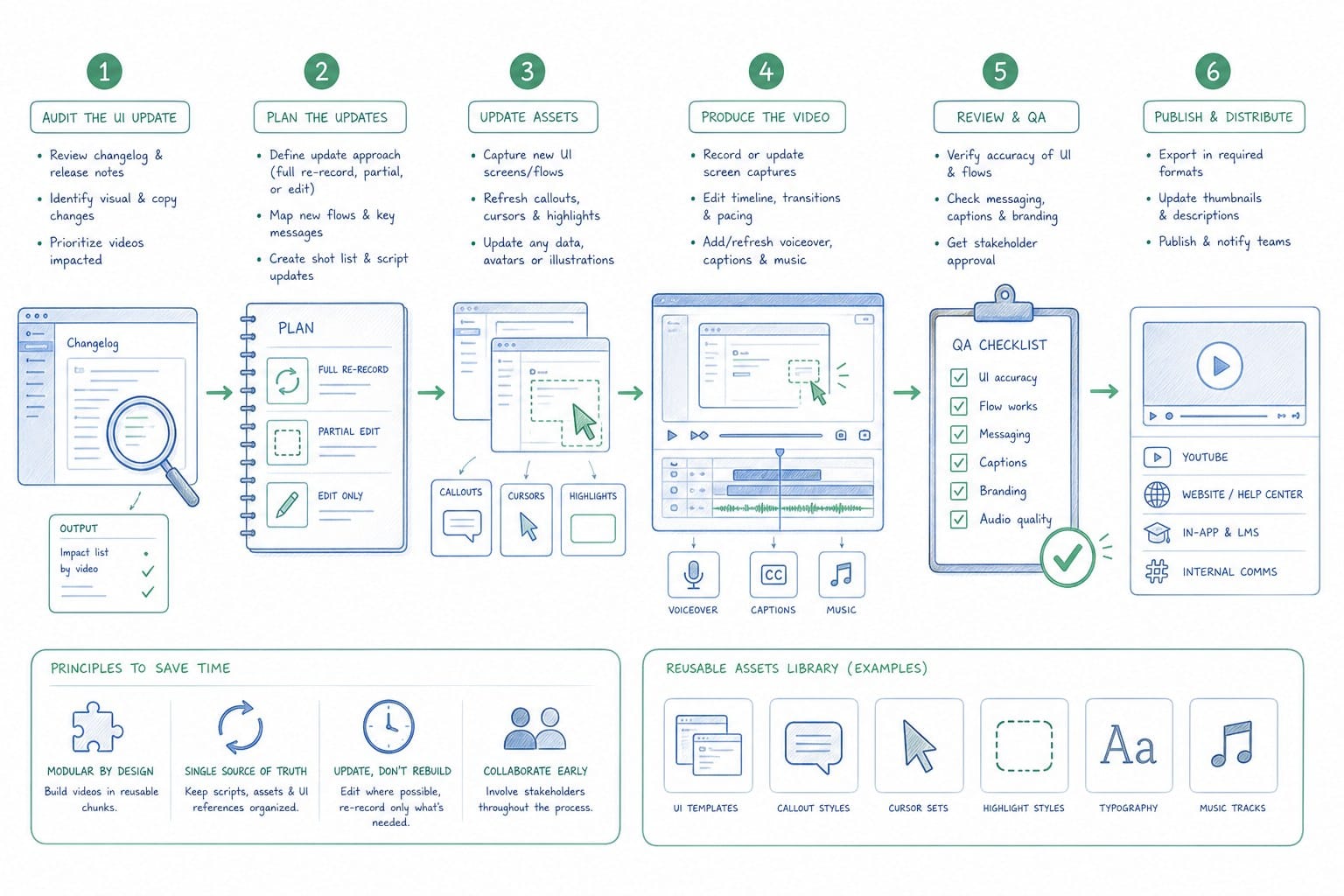
Before I get into the specific steps, it helps to establish what a good regeneration workflow looks like in principle. The goal is to go from "the UI changed" to "the video reflects the current UI" as quickly as possible, with as few manual handoffs as possible, and without losing the quality of the original output.
Here is the workflow I recommend for pre-Series B SaaS teams.
Step one: Build a video update trigger into your release process.
The biggest reason product videos go stale is not that teams do not want to update them. It is that there is no defined moment in the release process where someone is responsible for asking whether the video needs to change. The fix is simple: add a video review checkpoint to your sprint close or your release checklist. It does not need to be a long review. It can be a three-question check. Did any customer-facing screens change this sprint? Does the current product video show those screens? If yes to both, flag for video regeneration.
This turns video maintenance from a reactive task into a proactive one. Instead of a PMM noticing six weeks later that the homepage video is outdated, your team catches the gap within days of the release.
Step two: Know which screens appear in which videos.
This sounds obvious, but most teams do not have a map of this. If you have a homepage hero video, a sales deck walkthrough, and an onboarding video, do you know exactly which product screens appear in each one? If you do not, a single dashboard redesign could affect all three videos and you would not know it until someone noticed the inconsistency.
Create a simple internal document, even a spreadsheet, that maps each video you own to the specific screens or flows it covers. When a UI update ships, you check that document, identify which videos are affected, and prioritize the regeneration queue accordingly. This takes less than an hour to set up and saves significant time downstream.
Step three: Use a platform that supports regeneration natively.
This is where the technical workflow matters most. Traditional screen recording and editing tools were not built with regeneration in mind. They produce a finished video file. When the UI changes, you start over from scratch. That is the core inefficiency.
A platform like Product Frames is built around the concept of an editable, regenerable video composition. Instead of producing a locked video file, it produces a composition that includes the narration, the pacing, the structure, and the product footage in a form that can be refreshed. When you need to regenerate product video after ui update cycles, you supply the new product URL or updated footage, and the platform rebuilds the output against the same composition structure.
The credit model matters here for budget-conscious teams. Product Frames uses a system where one credit equals one second of finished video output. That means you are not paying a flat retainer or a per-project agency fee every time the UI ships a change. You pay for exactly what you regenerate. For a team shipping bi-weekly, that predictability makes video maintenance financially sustainable in a way that agency retainers never are.
Step four: Prioritize by audience impact.
Not every UI change affects every video equally. If your navigation bar changes, that might affect your homepage hero video but not your deep-dive onboarding walkthrough for a specific feature. If a core dashboard gets redesigned, that is likely high priority across multiple videos. Use your screen-to-video map from step two to triage which videos need immediate regeneration versus which ones can wait for the next update cycle.
A useful heuristic: prioritize videos by the volume of people who see them times the cost of a negative impression. Your homepage hero video gets seen by every prospect. An inaccuracy there is a top-priority fix. An internal training video seen by five people can wait a few days longer.
Step five: Refresh narration when the workflow changes, not just the visuals.
UI updates are not always just visual. Sometimes a flow changes. A step gets added. A feature moves from one part of the product to another. When that happens, a video that shows the right screens but narrates the wrong sequence is actually worse than a video that just looks a little outdated visually, because it actively misdirects users.
When you regenerate, check whether the narration still matches the updated flow. A platform that supports narration editing as part of the composition means you can update the script alongside the footage without rebuilding the entire video from scratch. That keeps regeneration fast even when both the visuals and the narration need to change.
For teams working across multiple channels, this is also the moment to check aspect ratios. If you need a 16:9 version for your homepage and a 1:1 version for LinkedIn, regenerate both at the same time. Catching the multi-format requirement early prevents you from discovering a missing format right before a campaign goes live.
Learning from how pre-Series B SaaS teams create polished product videos on a lean budget can help you structure a workflow that keeps quality high even when you are regenerating frequently rather than investing in a single expensive production.
Who owns the regeneration workflow and how to keep it running across sprints
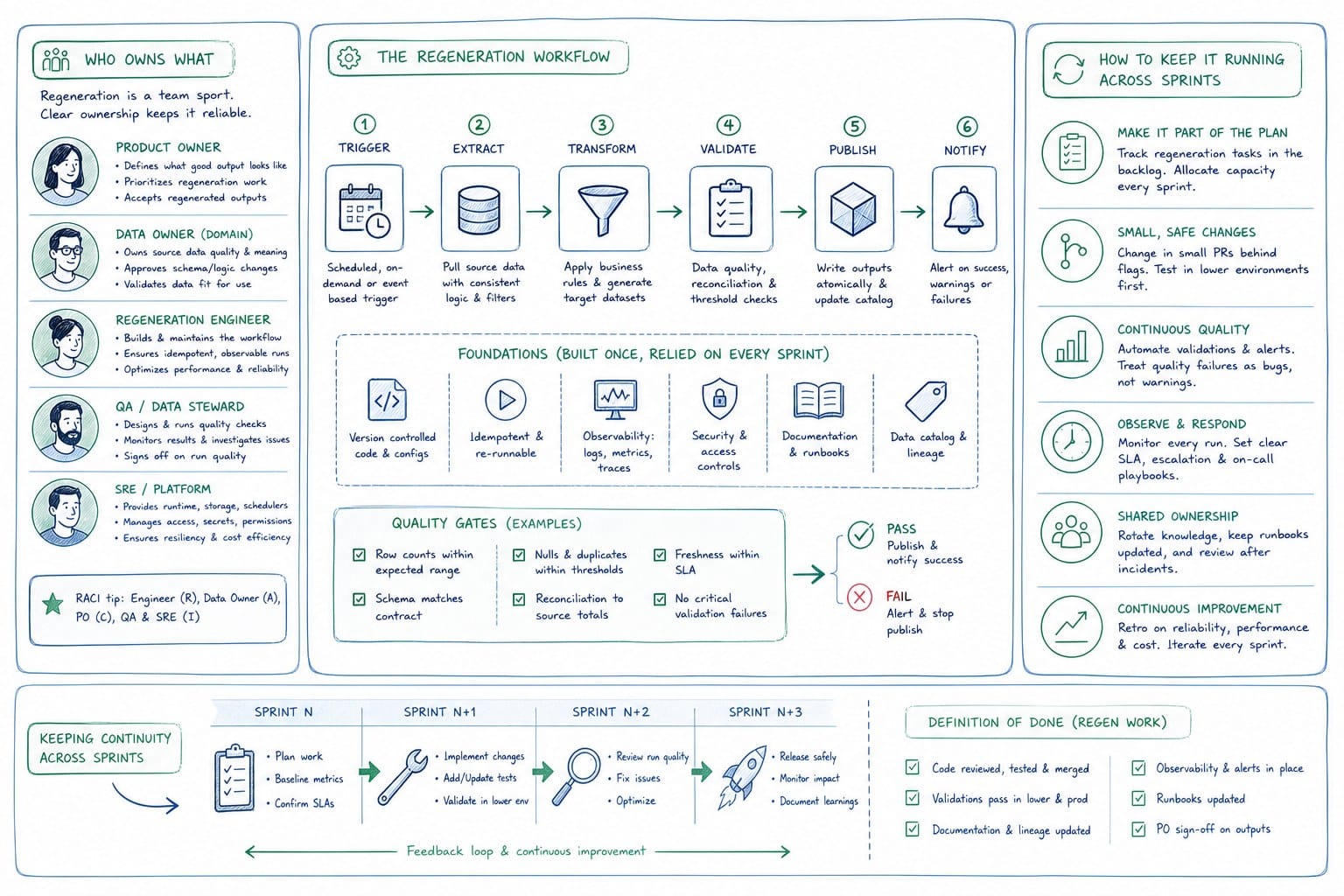
One of the most common reasons the regeneration workflow breaks down is ownership ambiguity. Everyone agrees the video is outdated. Nobody is sure whose job it is to fix it. The founder thinks the PMM handles it. The PMM thinks the CS team flagged it. The CS team assumed marketing was on it. Meanwhile, the outdated video stays live for another month.
Clearing up ownership is as important as having the right tools. Here is how I think about it across the typical pre-Series B team structure.
Founders and GTM leads: own the homepage hero.
The homepage hero video is often the single highest-leverage piece of product content you have. It sets expectations for every prospect who lands on your site. Founders and GTM leads should treat it like a living asset rather than a launch deliverable. That means building a recurring check into the product review cycle: after every sprint that touches a customer-facing flow, ask whether the homepage video still accurately represents the product. If the answer is no, that is a regeneration job, and it should be treated with the same urgency as a broken link or an outdated pricing page.
Product Marketing Managers: own the sales walkthrough and feature videos.
PMMs are typically closest to the sprint cadence and best positioned to catch when a UI change affects a sales walkthrough. The regeneration workflow for sales videos needs to be tight because sales reps send these videos between calls, and an inaccurate video in the hands of a prospect creates friction at the worst possible moment in the pipeline.
A practical system for PMMs: maintain a video inventory document that lists every video being actively used by the sales team, the product screens it covers, and the date it was last regenerated. Review that document at the close of every sprint. Flag anything that is more than two sprints behind the current UI as a regeneration priority.
Customer Success teams: own the onboarding and enablement videos.
CS teams have a particularly direct relationship with the consequences of outdated video. When a new user is trying to complete their first session and the onboarding video shows a screen that looks different from what they are actually looking at, confusion follows immediately. Support tickets go up. Activation rates go down. The regeneration workflow for onboarding content should be treated as part of the product quality standard, not as a nice-to-have.
For CS teams, the regeneration trigger should be tied directly to the release notes. If a release note mentions a change to any flow covered in an onboarding video, that video goes into the regeneration queue before the release reaches users.
Sales teams: create a version control habit.
Sales reps using video in their decks and proposals need a habit around version awareness. The simplest version of this is a shared folder with a clear naming convention that includes a version date. When a PMM regenerates a walkthrough video, they drop the new file in the shared folder with an updated date and notify the sales team via Slack or email. Reps know to pull the latest version before a call rather than relying on a video they bookmarked three months ago.
This is a lightweight process that does not require any new tools. It just requires consistency and a small amount of team communication discipline.
Growth and marketing teams: own multi-format distribution.
For teams distributing product video across LinkedIn, social feeds, and website heroes, the regeneration workflow needs to account for multiple aspect ratios from the start. When a UI update triggers a regeneration, growth teams should be looped in immediately so they can specify which formats they need refreshed. A 16:9 version for the homepage and a 9:16 version for LinkedIn stories might be regenerated from the same composition, but both need to go through the same quality check before they go live.
Growth teams should also maintain a distribution log: a simple record of where each video version has been published and when. When a regeneration happens, the log tells you exactly which channels need the updated version and prevents the situation where the homepage gets refreshed but the LinkedIn post is still linking to the old recording.
Keeping the workflow running across sprints.
The regeneration workflow only works if it runs consistently, not just when someone notices a problem. A few habits make this sustainable for small teams.
First, keep your video inventory document alive. Add new videos when you create them. Update the screen map when flows change. Review it at sprint close. This document is the foundation of the whole workflow.
Second, set a maximum staleness threshold. Decide as a team that no customer-facing product video will be allowed to be more than two sprints behind the current UI. That threshold creates urgency without requiring daily reviews.
Third, treat regeneration credits as a operating budget line. On a platform like Product Frames, regeneration costs are predictable and tied directly to output length. Include that cost in your marketing operations budget the same way you budget for design tools or ad spend. When regeneration has a clear budget, it stops competing for attention with other priorities and becomes a routine operational expense.
Fourth, run a quarterly video audit. Beyond the sprint-close check, do a full review of every product video you own once per quarter. Watch each one with fresh eyes against the current product. Anything that feels noticeably out of date goes into the regeneration queue even if it somehow passed the sprint-close checks. This catches drift that accumulates across multiple small changes that individually did not trigger a flag.
Fifth, use regeneration as an opportunity to improve, not just update. When you regenerate a video because the UI changed, that is a natural moment to review the narration quality, the pacing, the call to action, and the overall structure. You are already touching the composition. Spend an extra fifteen minutes asking whether the current version is the best version, not just the most accurate version.
For teams evaluating which tools support this kind of workflow natively, the best product walkthrough video tools for B2B SaaS teams is a good place to understand the landscape and what to look for in a platform that supports ongoing regeneration rather than one-time production.
The teams that do this well share one characteristic: they stopped treating product video as content production and started treating it as product documentation. Just as you would not ship a UI update without updating your help center articles, you should not ship a UI update without flagging the affected videos for regeneration. That mindset shift, more than any specific tool or workflow detail, is what keeps product videos accurate and effective across the full lifecycle of a product.
Ready to take the next step?
If your team is shipping UI updates and your product videos are falling behind, Product Frames is built to solve exactly that problem. You can turn a product URL or existing footage into a narrated, editable video composition, and regenerate it after every release without starting from scratch. Visit productframes.com to see how the regeneration workflow works and start keeping your product videos current.