How to make a SaaS onboarding video that stays current after every release

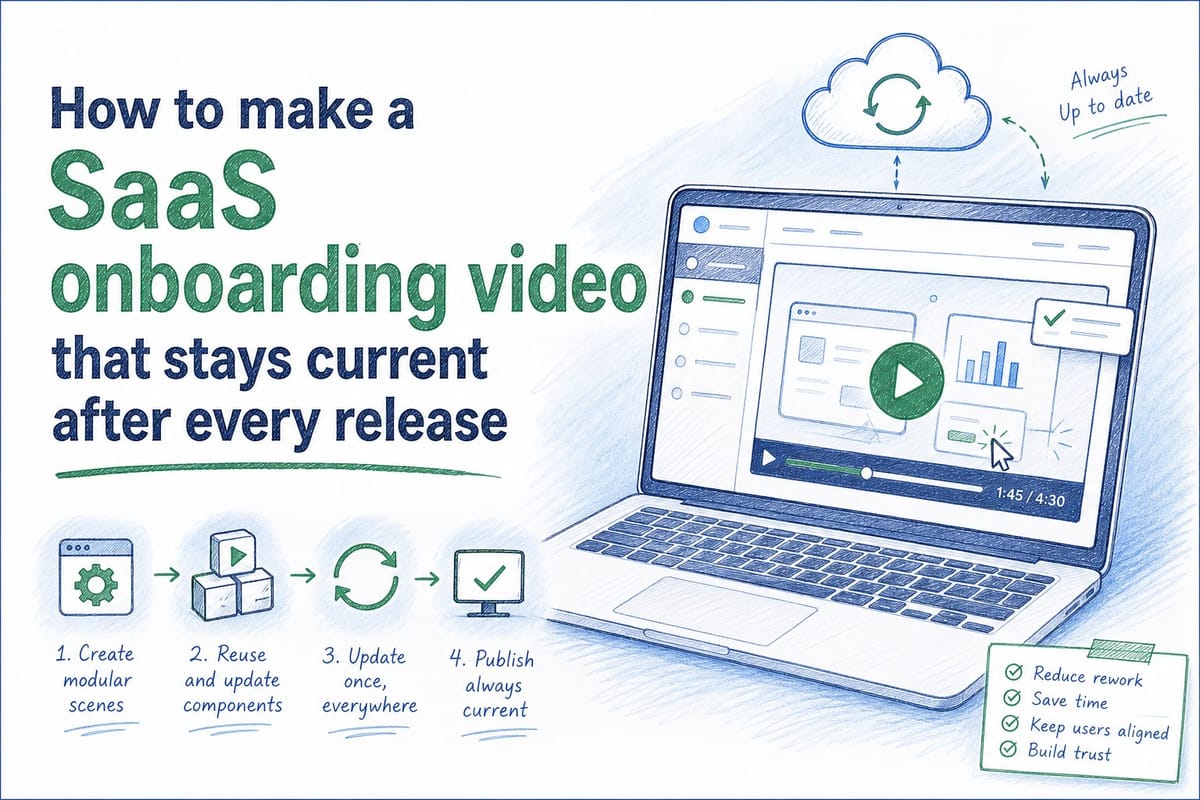
Table of contents
1. Why your SaaS onboarding video gets outdated faster than you expect
2. How to build a SaaS onboarding video that is designed to be refreshed
3. How AI-powered video generation changes the onboarding video update cycle
A SaaS onboarding video is one of the most useful assets your team can create. It walks new users through your product, reduces support tickets, and shortens time-to-value. The problem is that most onboarding videos become outdated the moment your product ships a new release. A button moves. A menu gets renamed. A whole workflow changes. Suddenly the video your CS team spent two weeks producing is showing users a UI that no longer exists. In this article, I will walk through why onboarding videos go stale so fast, how to build them in a way that makes updates manageable, and how modern AI-powered tools are changing the entire production cycle for pre-Series B SaaS teams.
Why your SaaS onboarding video gets outdated faster than you expect
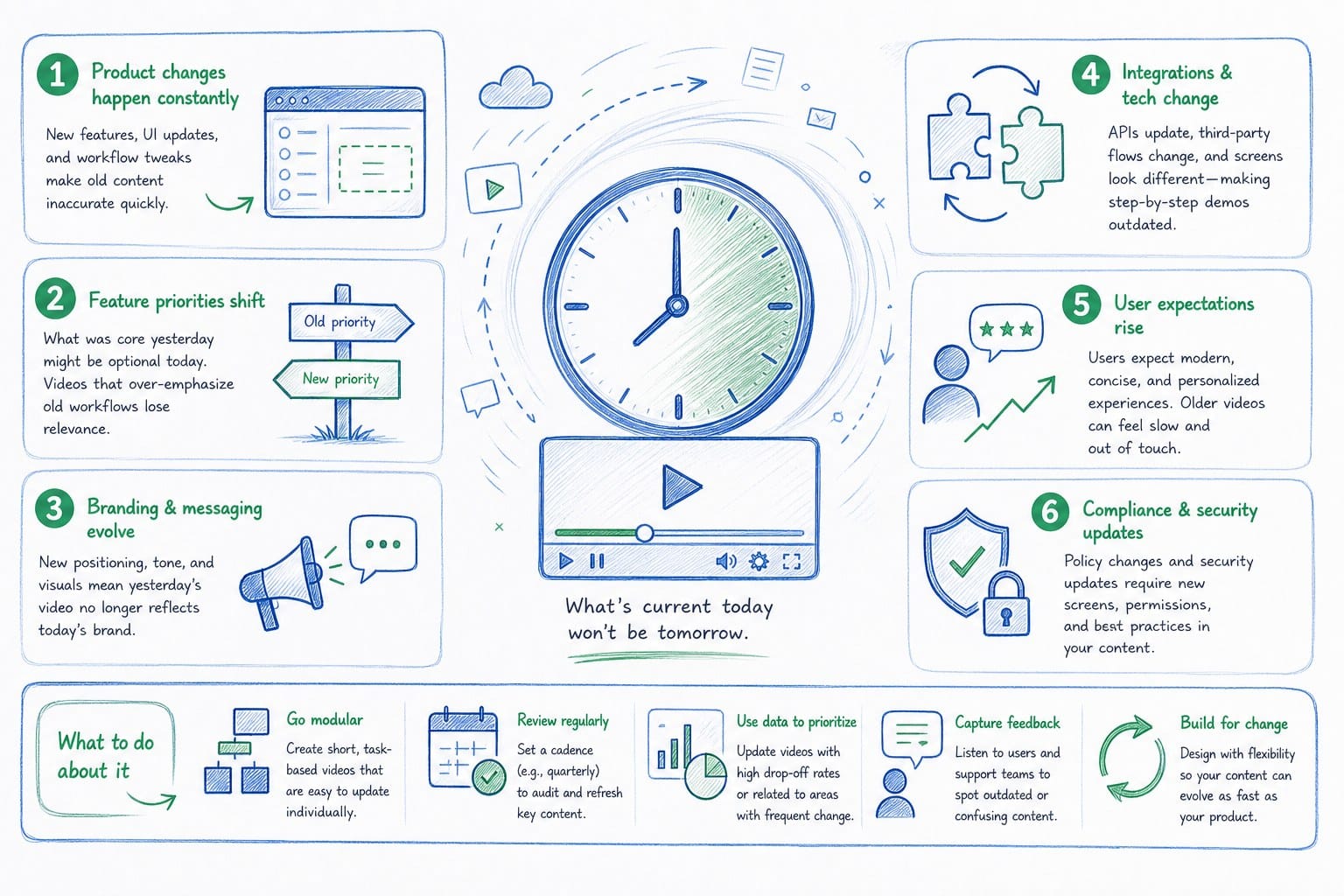
Most SaaS teams ship product updates on a two-week sprint cycle. Some ship even faster. That pace is great for your product roadmap. It is rough for any video that shows your UI.
Here is what typically happens. Your CS team identifies that new users are struggling to complete the setup flow. They script an onboarding video, record a screen capture, add voiceover narration, and send it to a video editor or freelancer. The finished video goes into your help center, your onboarding email sequence, and maybe your in-app checklist. The whole process takes anywhere from two to six weeks depending on how many review rounds are involved.
Then your engineering team ships the next sprint. The navigation bar gets a new icon. The onboarding wizard adds a step. The dashboard gets a fresh coat of paint. Now the video is showing users a screen that does not match what they are actually looking at. Confusion goes up. Support tickets come in. Activation rates slip.
This is not a hypothetical. It is a pattern that repeats itself across hundreds of SaaS companies. I have seen CS teams pull onboarding videos from their help centers entirely because keeping them accurate felt impossible. That is a real cost. Users who cannot figure out your product on their own churn faster, and they burn your support team's time in the process.
There are a few specific reasons the problem is as bad as it is.
First, the production process is front-loaded with manual work. Recording, editing, adding captions, syncing narration to screen actions, and exporting in the right format all take hours. When an update breaks one section of the video, teams often have to re-record and re-edit large chunks because the footage is not modular.
Second, most teams treat onboarding videos as a one-time project rather than a living asset. There is no workflow for refreshing them. No one owns the update cycle. The video just sits there getting staler with every sprint until someone complains loudly enough that the team prioritizes a remake.
Third, the people who best understand what changed in the product (engineers, PMs, and PMMs) are usually not the people who know how to update a video. That skill gap creates a handoff problem. By the time a freelancer or in-house editor gets the brief, two more sprints may have shipped.
If you want to understand the mechanical reasons your video library ages out so quickly, the article Why your SaaS homepage hero video goes stale after every sprint goes deep on the sprint-by-sprint decay cycle. The same dynamics that kill homepage hero videos apply just as directly to onboarding content.
The takeaway here is not that onboarding videos are a bad idea. They are genuinely valuable. The takeaway is that the way most teams produce them makes long-term accuracy nearly impossible without a structural change in how the videos are built and maintained.
How to build a SaaS onboarding video that is designed to be refreshed
The solution to the staleness problem is not to produce a perfect video once and hope the product does not change. It is to build your onboarding video in a way that makes refreshing it cheap and fast. That requires rethinking both the structure of the video itself and the workflow around it.
Here is a practical framework I recommend.
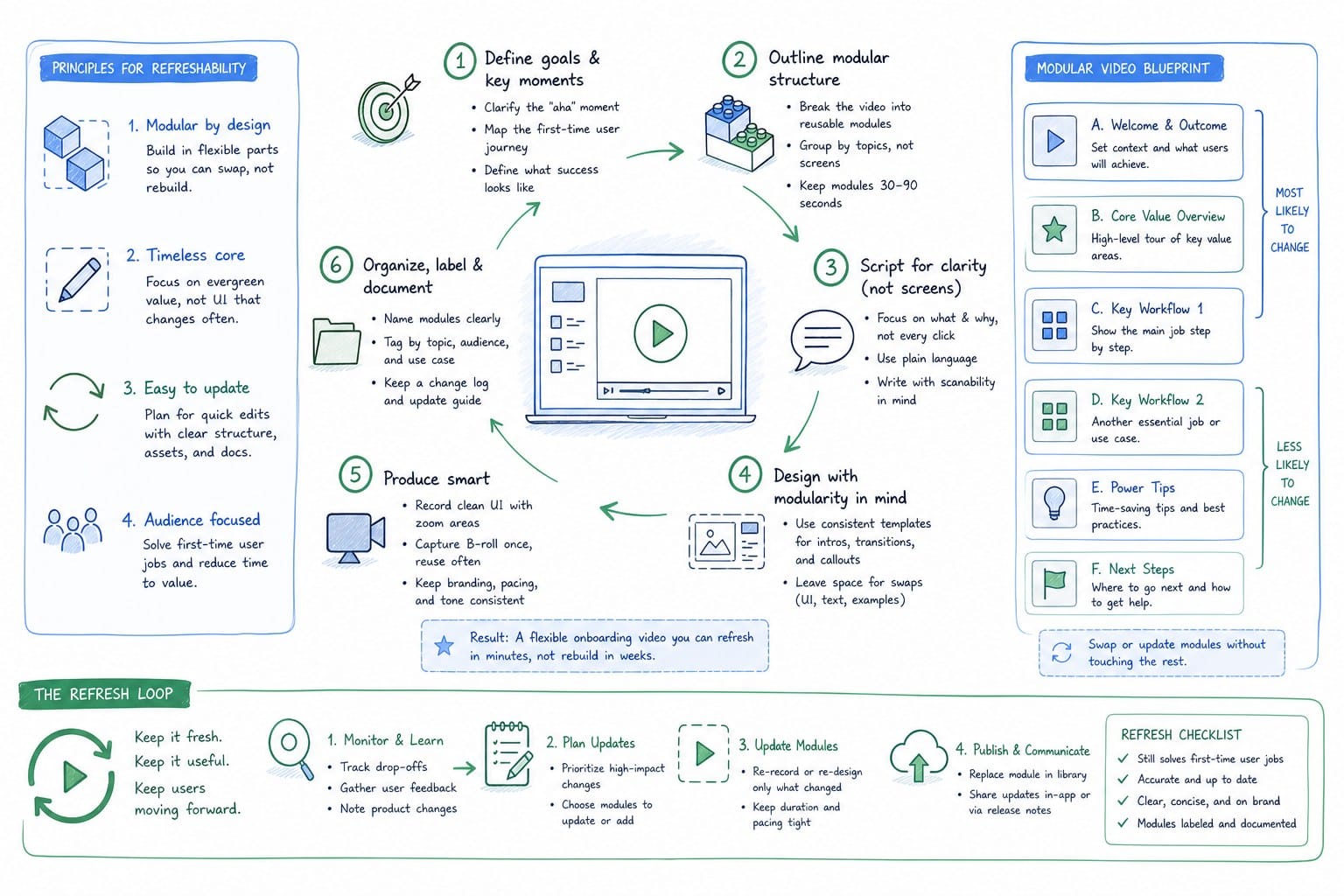
Break the video into modular segments tied to specific flows, not specific screens.
The biggest mistake teams make is shooting one long continuous screen recording that covers the entire onboarding journey. When any part of the UI changes, the whole recording is compromised. Instead, structure your SaaS onboarding video as a series of short, independent segments, each covering one discrete task or flow.
For example, instead of one 8-minute video that covers account creation, workspace setup, first project creation, and inviting teammates, produce four 2-minute segments. Each segment covers exactly one flow. When the workspace setup UI changes in a sprint, you only need to refresh that segment. The other three segments stay accurate and usable.
This modular approach also gives you flexibility in how you deploy the content. Some users need to see the full sequence. Others only need help with one specific step. Modular segments can be served individually in in-app tooltips, help center articles, and onboarding checklists, placing the right video exactly where the user is stuck rather than sending them to a generic overview.
Write narration scripts that are UI-agnostic where possible.
Narration ages faster than you think when it references visual details too specifically. Phrases like "click the blue button in the upper left" become inaccurate the moment the design team changes the button color or repositions the navigation. Write narration that describes the action and the outcome rather than the exact visual location.
For example, "open your project settings" ages better than "click the gear icon in the top right corner." The first version survives a UI refresh. The second one breaks the moment the gear icon moves.
This does not mean your narration has to be vague. You still want it to be clear and specific about what the user is doing and why it matters. The goal is to anchor the language to the user's intent and the workflow outcome rather than to exact pixel positions in the current design.
Build an ownership and trigger system for video refreshes.
Every sprint that touches the onboarding flow should trigger a check on the corresponding video segments. This sounds obvious but most teams have no formal process for it. The result is that video updates happen reactively, when users complain, rather than proactively, right after a release.
A simple system that works: add a field to your sprint tickets that flags whether the change affects any user-facing flow that is covered in your onboarding video library. Whoever owns the CS or product education function gets notified. They review the relevant video segment and either confirm it is still accurate or kick off an update.
The person who owns this does not have to be a video editor. That is a key point I will come back to in the next section. But someone needs to own the trigger and the review, or updates will keep slipping through.
Keep raw assets organized and versioned.
If you produce traditional screen recordings, store the raw footage, the script, and the project file from your editing software in a shared location with clear versioning. Label each file by the product version or sprint it was recorded on. When you need to update a segment, you can pull up the original project file, re-record only the changed portion, and swap it in rather than rebuilding from scratch.
This is basic but it is ignored more often than you would expect. Teams record a video, export the final MP4, and discard the project files. When an update is needed, they have nothing to work from except the finished compressed export, which is not editable.
Plan your aspect ratios from the start.
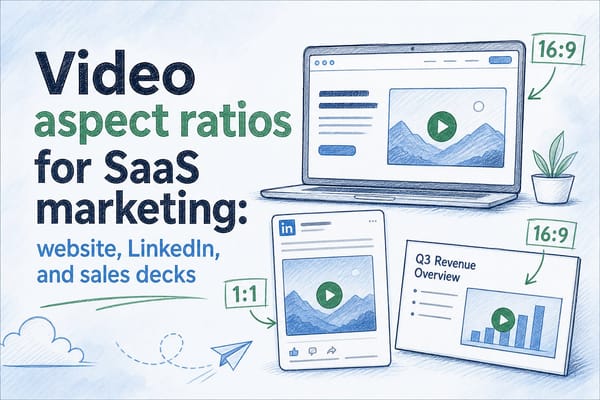
Your SaaS onboarding video will live in multiple places. Your help center probably wants a 16:9 landscape format. In-app tooltips may want a square or portrait crop. If you are also posting clips to LinkedIn or distributing via your sales team, you need a vertical format too.
Deciding on aspect ratios before you shoot saves enormous time later. If you record in a format that only works for one placement, you end up re-recording or doing awkward cropping when you need the video somewhere else.
For teams running on sprint cycles, the article Keeping demo videos updated across sprints in B2B SaaS covers a similar framework applied to demo videos. Many of the same principles carry over directly to onboarding content because both types of video face the same core problem: your product keeps moving and your video cannot keep up using a traditional production model.
Applying these principles gives you a video library that is structurally easier to maintain. But even with a well-organized library, the manual re-recording and re-editing work is still a significant burden. That is where the production tooling you choose makes a major difference.
How AI-powered video generation changes the onboarding video update cycle
The framework I described above reduces the pain of updating your onboarding video library. But it does not eliminate the core bottleneck: someone still has to re-record screens, re-edit footage, and re-export final files every time a meaningful UI change ships. For a team shipping on two-week cycles, that is a recurring time cost that adds up fast.
This is the problem that AI-powered video generation platforms are built to solve. The basic idea is that instead of treating a product video as a fixed artifact you edit manually, you treat it as a generated output that can be regenerated from a source whenever the product changes.
Here is how the workflow shift plays out in practice.
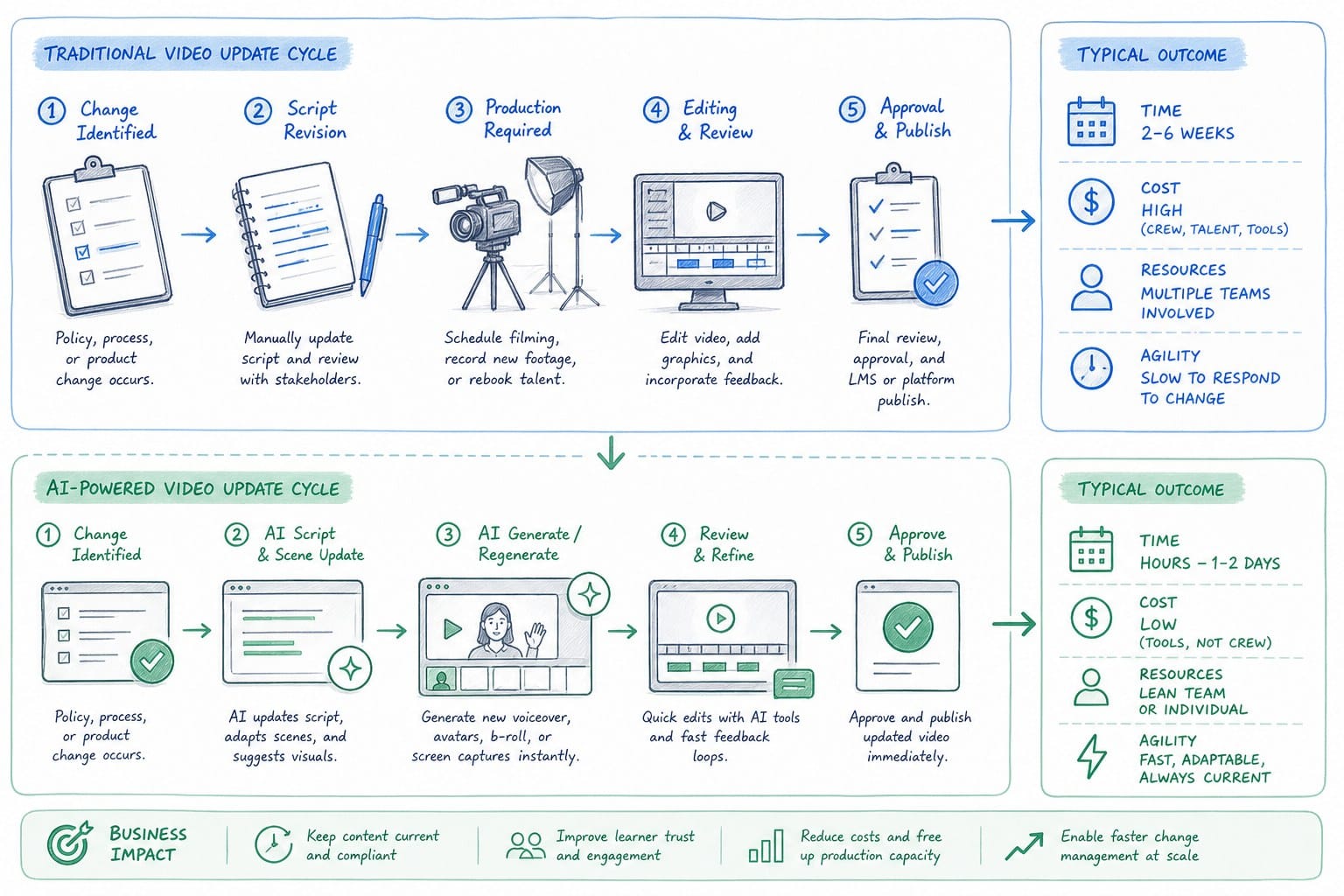
With a traditional production model, creating a SaaS onboarding video looks like this: someone records the screen, sends the footage to an editor, the editor cuts it together and syncs narration, the video goes through one or two review rounds, and the final file gets exported and uploaded. The whole cycle takes days to weeks. When a release breaks a section of the video, the cycle starts over for that section.
With an AI-powered generation model, the process starts from your product URL or existing footage. The platform analyzes the product, generates a narrated video composition, and gives you an editable structure that can be regenerated after each update. When a new sprint changes the onboarding flow, you trigger a refresh. The platform re-generates the affected segments using the current state of the product. You review the output, make any adjustments, and publish. The update cycle that used to take a week or more compresses down to hours.
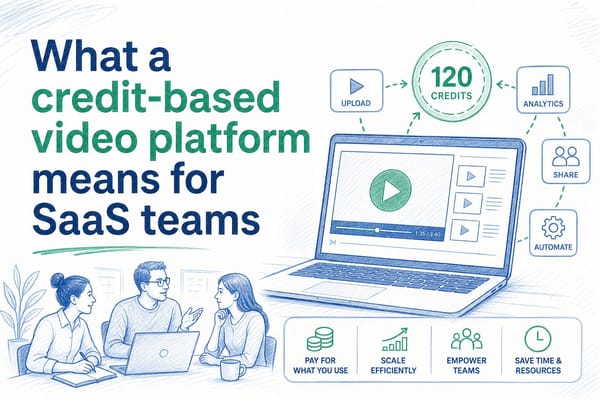
Product Frames is built specifically around this model. It takes a product URL or existing product footage and turns it into an editable, regenerable narrated video composition. Founders, PMMs, and CS teams can create onboarding videos and refresh them after every product update without going back through a manual editing process. The platform runs on a credit system where one credit equals one second of finished video output, which makes it straightforward to scope the cost of generating or regenerating specific segments.
For a CS team that owns an onboarding video library covering six or eight distinct flows, this kind of regeneration capability changes the economics of keeping content accurate. Instead of dedicating several days of editing time per sprint to video maintenance, the team can refresh a segment in the same afternoon the sprint ships. The video stays accurate. Support tickets from confused new users go down. Activation rates hold up.
There are a few specific ways AI-powered generation makes a concrete difference for onboarding content.
Narration stays synchronized automatically. One of the most tedious parts of updating a traditionally produced video is re-syncing the voiceover narration to new screen footage. If a flow takes one more step after an update, the narration timing is off. With generated video, the narration is produced from the current product state as part of the generation process, so it is synchronized to the actual flow rather than to an earlier version of it.
Multiple aspect ratios come out of the same generation. A platform that generates video from your product URL can export the same composition in different aspect ratios without requiring you to re-record or re-edit for each format. Your 16:9 help center version and your square in-app tooltip version come from the same source. When you regenerate after a sprint, you refresh both formats at once.
Non-editors can own the update cycle. Because the generation and refresh process does not require video editing skills, CS managers and PMMs can own the update trigger directly rather than depending on a freelancer or a video production contractor. This removes one of the biggest handoff delays in the traditional model.
You always have an accurate version live. With a traditional workflow, there is often a gap between when a release ships and when the updated video is ready. During that gap, users are watching inaccurate content. With a regenerable model, you can update the live version quickly enough that the gap shrinks to hours rather than days.
It is worth being clear about what AI-powered generation does not replace. It does not replace strategic thinking about what your onboarding video should cover, how it should be structured, or what your users need to understand at each step of the activation journey. The framework work I described in the previous section still applies. You still need to think carefully about which flows to cover, how to sequence them, and where the video will be deployed.
What generation replaces is the manual production and editing labor that currently makes keeping onboarding videos accurate feel like a full-time job on its own.
For teams also thinking about how video fits into broader conversion goals, the comparison in Interactive demo vs product video: which converts better on your homepage is worth reading. The formats serve different purposes in your funnel, and understanding where onboarding video fits relative to other product content formats helps you allocate your production resources more clearly.
The bottom line is that a SaaS onboarding video is only as valuable as its accuracy. A video that was great six months ago but now shows an outdated UI is not a neutral asset. It actively creates friction for new users who are trying to follow along and seeing something different in their actual product. The teams that treat onboarding video as a living asset, something to be maintained and refreshed on the same cadence as the product itself, get dramatically more value from the investment than teams that treat it as a one-time production project.
Building with modularity, writing narration that ages well, establishing ownership for the update trigger, and using a generation platform that makes refreshing cheap are the four moves that separate onboarding video programs that scale from ones that quietly decay after the first sprint.
Ready to take the next step?
If you are building or maintaining a SaaS onboarding video and tired of it going stale after every release, Product Frames can help. Visit productframes.com to see how AI-powered video generation makes it possible to keep your onboarding content accurate without rebuilding from scratch every sprint.